How to Boost Hotel Bookings from Google Hotel Ads
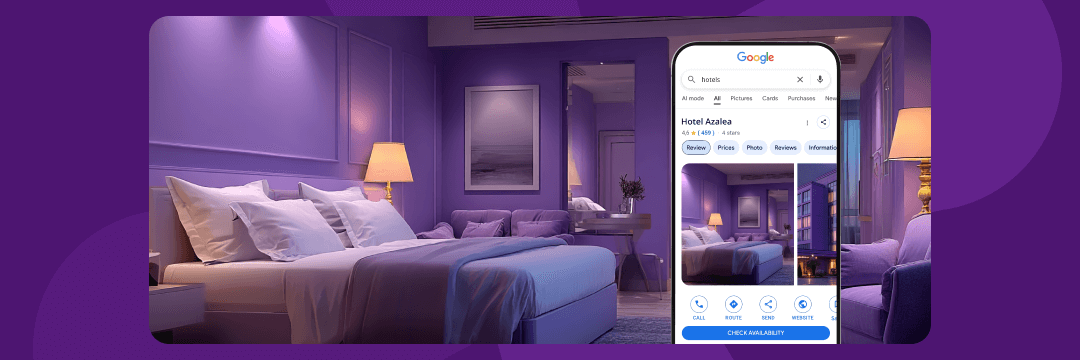
Google Hotel Ads (GHA) have become one of the most effective tools to attract guests and boost direct bookings on your hotel’s website. This is because these ads appear right where travellers start their search — on Google Search and Maps.
When a potential guest looks for your hotel or properties in your area, GHA show up-to-date prices and available rooms. This means travellers see your offers instantly and can book directly without navigating through multiple sites.
In this article, we’ll explain how Google Hotel Ads work and how to use them to increase your bookings and grow your hotel’s website traffic.
What Are Google Hotel Ads and How Do They Work?
Google Hotel Ads are special listings that appear when people search for hotels on Google. These ads help travellers find out prices, check availability, and read reviews — all in one place. For hotels, they offer a direct way to reach potential guests exactly when they’re ready to book.
You’ll find Google Hotel Ads in several places:
-
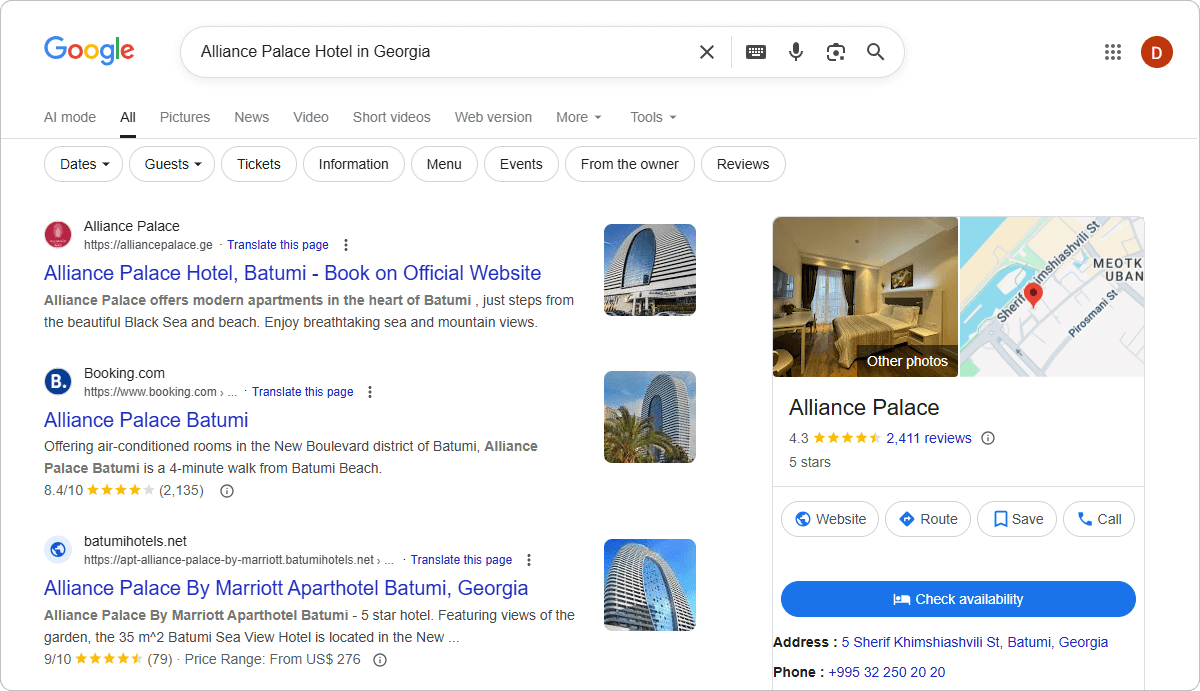
Google Search: When someone searches for a hotel name, Google displays hotel Google Business Profile directly on the search results page. Sponsored booking options appear within this Google Business Profile as paid placements.
-
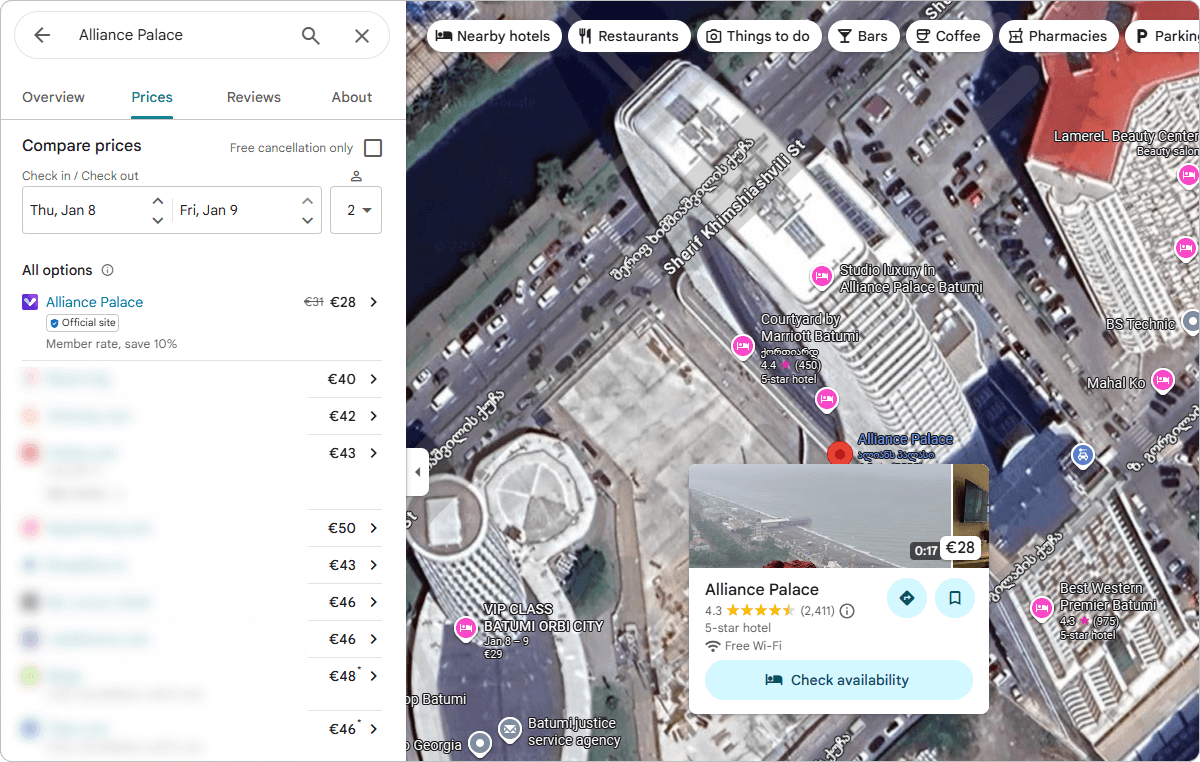
Google Maps: When users explore an area on Google Maps and open a hotel’s Google Business Profile, Hotel Ads appear inside the profile. Here, travellers can view real-time prices, availability, photos, and booking options. Sponsored booking links are shown at the top of the booking section, while non-sponsored (free) booking links appear below the “All options” list.
-
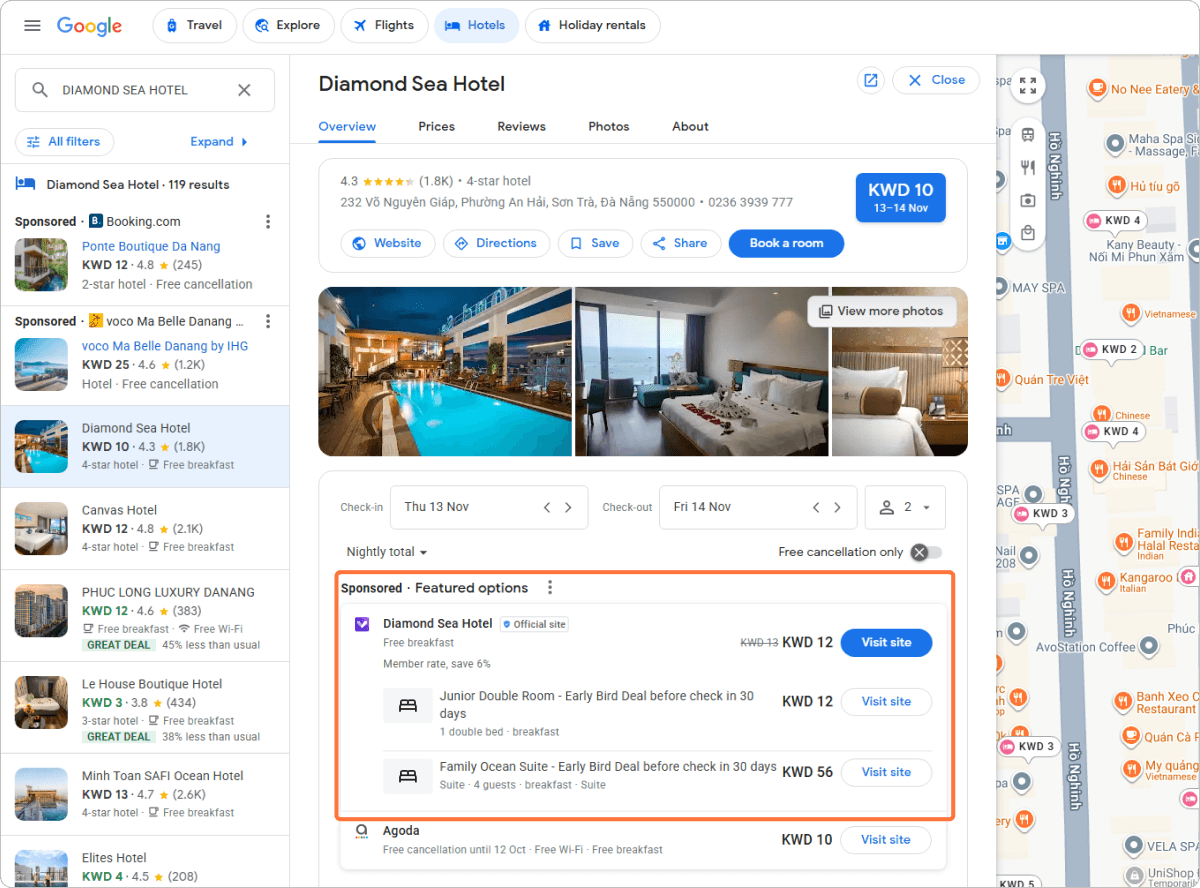
Google Travel (Hotels): This is a dedicated platform where users can search and compare hotels. Sponsored listings are highlighted at the top, while free booking links appear alongside other organic options.
Google Hotel Ads connect directly to your booking engine, keeping your rates and availability accurate and up to date. When travellers click on a link — whether it’s a paid ad or a free listing — they’re taken straight to your booking page. This makes the process seamless and boosts the chances they’ll complete their reservation.
By showing current prices and availability right where travellers are researching, Google Hotel Ads build trust and make it easy for guests to book directly with your site.
How to Set Up Google Hotel Ads for Your Hotel
Setting Google Ads might seem tricky at first, but if you follow these steps, you’ll have your ads running in no time.
1. Verify your Google Business Profile
First, make sure your hotel’s Google Business Profile is verified. This is important because it confirms your hotel’s info on Google Maps and Search. If you haven’t done this yet, just head over to Google My Business and follow the verification steps. Check out this article to learn how to do this correctly.
2. Integrate a booking engine
Google Hotel Ads only work if you have a booking engine connected to your website that can show real-time prices and availability. Choose a system that supports Google Hotel Ads, like Exely Booking Engine, to make this easier.
3. Connect your booking engine to Google Hotel Ads
Work with your booking engine provider to connect your system to Google Hotel Ads. This step makes sure your rates and availability show up correctly on Google, and that guests can book directly from the ads.
4. Set up your Google Hotel Ads account
Once your booking engine is linked, create your Google Hotel Ads account. Use your verified Google Business Profile and booking engine data to complete the setup. This lets you manage your ads and see how they’re performing through Google’s platform.
5. Define your campaign goals, budget, and bidding
First, decide what you want your ads to achieve. Are you aiming for more direct bookings or simply to increase your hotel’s visibility? Your goal will help you plan your budget. Pick a daily budget that fits your hotel’s size and how much you’re willing to spend. Start small to see how your ads perform.
Google Hotel Ads work on a bidding system. You set a maximum amount you’re ready to pay for a click or booking, and Google uses this to decide when and where to show your ads. If you want your ads to appear more often or in better positions, you can increase your bids. But remember, higher bids mean higher costs, so keep an eye on your spending.
Monitor how your ads are doing and adjust both your budget and bids as needed. This will help you get the most bookings or visibility without overspending.
6. Launch and monitor your campaign
After everything is set, launch your campaign. Keep track of clicks, bookings, and costs so you can tweak your ads and bids to get the most out of your budget.
How to Optimize Google Hotel Ads for Direct Bookings
Getting more direct bookings through Google Hotel Ads can truly boost your hotel’s revenue. But simply running ads isn’t enough. To see real results, you need to optimize your ads thoughtfully. Here’s how to make your Google Hotel Ads work harder and bring more guests straight to your booking page. But first, let’s look at a real example.
To better understand how Google Hotel Ads can impact your performance, let’s look at a real case — Alliance Palace Hotel in Georgia.
After launching Google Hotel Ads, the property saw significant improvements across all key metrics compared to traditional Free Booking Links:
Results:
-
Higher Click-Through Rates: Hotel Ads achieved a significantly higher click-through rate (CTR) compared to the standard Free Booking Links, demonstrating stronger engagement from users.
-
Increased Impressions and Traffic: Both the number of views (impressions) and clicks grew, generating more opportunities for bookings.
-
Quality Traffic: Because the ads target users actively searching for the hotel, the traffic is highly qualified and more likely to convert.
-
Improved Conversion Rates: The influx of high-intent, quality traffic led directly to an increase in bookings, maximizing return on ad spend.
Now, let’s look at how to make the most of Google Hotel Ads:
Use clear, high-quality images and descriptions
Good photos catch attention and make your hotel stand out. Choose sharp, inviting images that show off your rooms and amenities. Pair them with simple, honest descriptions that highlight what makes your hotel unique. Together, these help potential guests imagine their stay and choose your hotel.
Include strong call-to-actions and direct booking links
Make it easy for guests to take the next step. Use clear buttons like “Book Now” or “Check Availability” that lead to your booking page. This cuts down on extra clicks and keeps guests moving smoothly toward completing their reservation.
Keep rates and availability up to date
Guests expect prices and room availability on Google to match what they see on your website. If the information doesn’t match, they may lose trust and leave. Use tools like Exely Channel Manager that update rates and availability in real time to keep everything accurate. This helps avoid confusion and increases the chance of a booking.
Highlight special offers and packages
If you have promotions, discounts, or special packages, make sure your ads reflect them. Guests often look for deals, and highlighting these can make your hotel more attractive. Update your offers regularly to keep ads fresh.
Use location targeting wisely
Set your ads to target the right locations. For example, focus on cities or regions where your typical guests come from. This will help your budget work more efficiently by reaching people more likely to book.
Use guest reviews and ratings
Positive reviews build trust. If possible, include your hotel’s star rating or guest scores in your ads. This social proof can encourage users to choose your hotel over others.
Test different ad creatives and messages
Try different images, descriptions, and call-to-actions to see what works best. Small changes can impact how many people click and book. Use A/B testing to compare results and choose the most effective options.
Adjust your campaigns
Don’t just set your ads and forget them. Check how they perform regularly. Look at which ads bring bookings and which don’t. Use this data to tweak your bids, budgets, and ad content. By continually optimizing, you’ll get more direct bookings and better return on your ad spend.
Conclusion
Google Hotel Ads help your property show up right when travelers are looking to book. They display real-time prices, availability, and reviews, making it easier for guests to choose your hotel and book directly on your site. This means you can get more bookings without paying extra fees to third-party sites.
To make the most of Google Hotel Ads, set them up properly and keep an eye on how they perform. With a bit of attention and adjustment, these ads can bring more guests straight to your door.
Frequently Asked Questions (FAQ)
-
What do I need to get started with Google Hotel Ads?
To launch Google Hotel Ads, you need a website with a booking engine that should be connected to Google. Once set up, you can create your campaign in Google Hotel Ads and start promoting your rooms directly to potential guests. -
How do Google Hotel Ads compare to OTAs?
Google Hotel Ads show your hotel alongside OTAs but send guests right to your website to book. This helps reduce commission fees you pay to OTAs. Google Hotel Ads also give you more control over pricing and promotions, letting you attract guests with your best offers. -
Can small hotels benefit from Google Ads?
Yes, the platform helps increase visibility and reach travelers who search on Google. Even with a modest budget, small hotels can attract direct bookings and compete with larger properties by highlighting unique features and offers. -
What are the typical costs and how long does it take to see results?
Costs vary based on your bids and campaign settings since Google Hotel Ads use a pay-per-click model. You pay only when someone clicks your ad. Results can appear within weeks, but it usually takes 1–3 months of monitoring and optimizing campaigns to reach steady direct bookings and a good return on investment.