In the booking engine, guests can select the preferred language for displaying information. If you want a specific payment method to be displayed in the booking engine only for certain languages, follow the steps below:
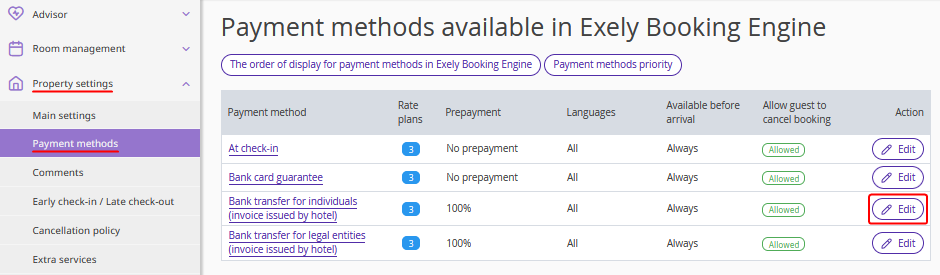
1. In the Exely extranet, go to “Property settings” > “Payment methods”.
2. Click the “Edit” button on the right of the payment method you wish to restrict.
3. In the section “Payment method "..." is available in Exely Booking Engine when a guest selects a language” tick check-boxes for the languages which this payment method should be available for. If the payment method should be available for all language versions, tick the “For all languages” check-box.
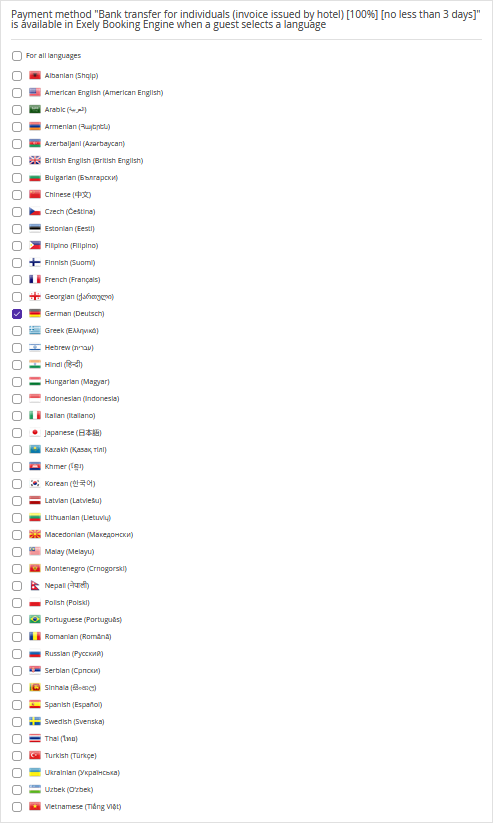
The payment method will now be displayed based on the language selected by the guest during booking.
