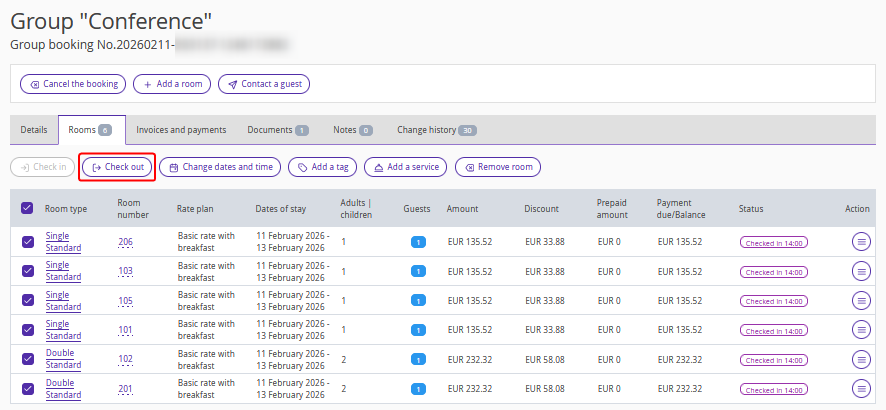
In Exely PMS, you can quickly check in or check out a group of guests with a single action using the bulk action buttons on the group booking details page. This saves time, especially if all guests’ data is already available in their profiles in the booking.
1. In the Exely extranet, go to "Property management" > "Front Desk" and click any room within the group booking.
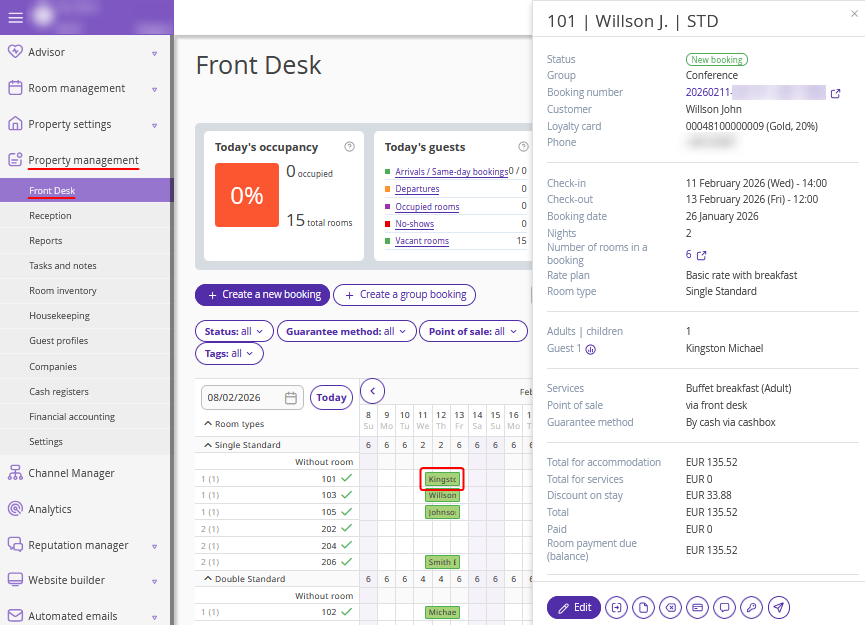
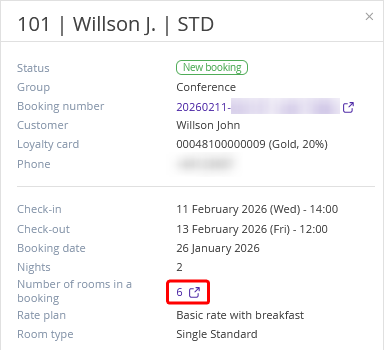
2. In the opened brief booking details window, click the value in the "Number of rooms in a booking" line.
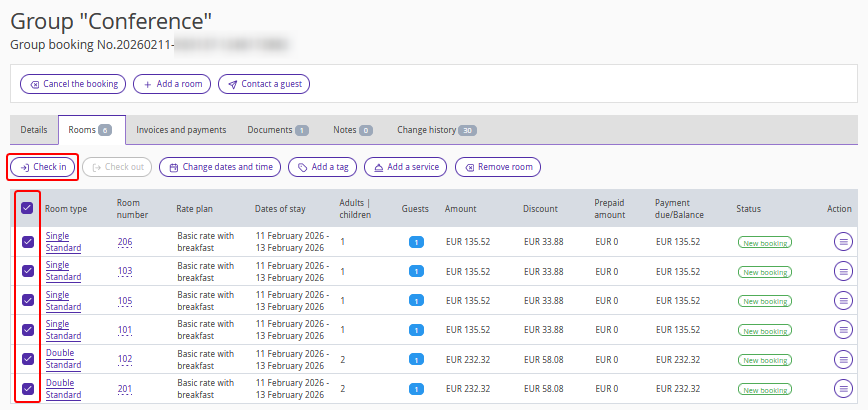
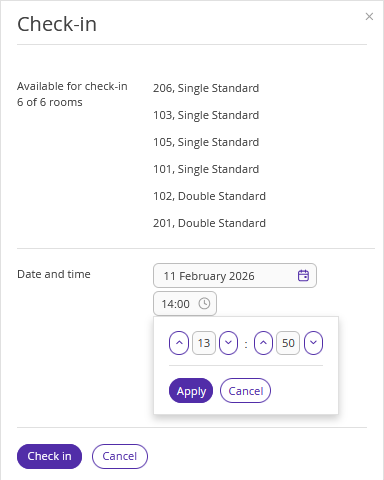
3. The group booking details page will be opened on the "Rooms" tab. Tick check-boxes for the rooms which you need to check in and click the “Check in” button.
4. Select the check-in date and time — they will be applied to all selected rooms.
If some stays start later and the rooms are not yet available for check-in, a notification will be displayed indicating that these rooms cannot be checked in.
5. Click the “Save” button at the top of the page.
The "Check out" button becomes available when the check-out date arrives.