As part of the Bulgaria’s transition to euro, Exely has developed and is rolling out a new tool for automatic rate plan copying. This tool significantly simplifies the process of adapting your prices and services to the new currency by automating most of the manual work. If some rate plans were not automatically switched to euro in November 2025, you can copy them at any time using the tool.
How to copy rate plans
To copy rate plans in Bulgarian lev, go to “Room management” > “Copy BGN rate plans to EUR”.
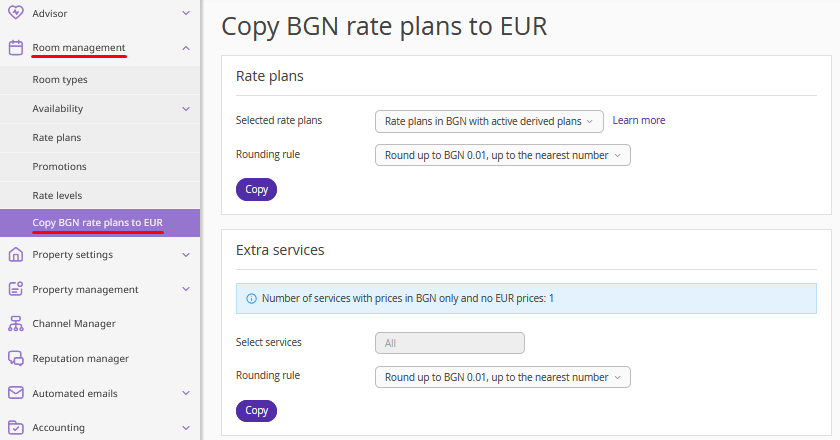
In the “Rate plans” section, click the “Selected rate plans” field and choose which rate plans should be copied.
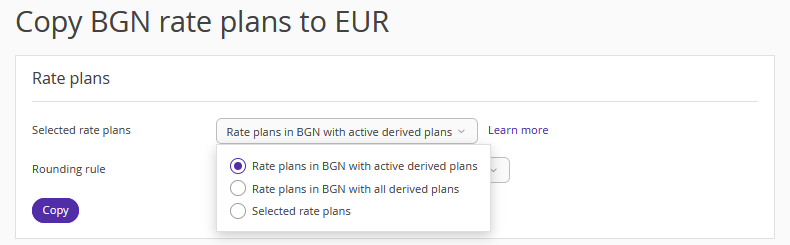
1. When selecting “Rate plans in BGN with active derived plans”, the tool will copy:
active base rate plans in levs;
active derived rate plans in levs;
active derived rate plans in any currency, if their parent rate plan is in levs — the tool will copy the parent rate plan in levs and the full tree of active derived rate plans;
active dynamic rate plans along with all source rate plans used for them;
active Rate Mix rate plans along with all source rate plans used for them.
If a parent rate plan is in any currency, but levs, and the active derived rate plan is in levs, only this derived rate plan will be copied under the current parent rate plan.
2. When selecting “Rate plans in BGN with all derived plans”, the tool will copy:
active and inactive base rate plans in levs;
active and inactive derived rate plans in levs;
active and inactive derived rate plans in any currency, if their parent rate plan is in levs — the tool will copy the parent rate plan in levs and the full tree of active and inactive derived rate plans;
active and inactive dynamic rate plans along with all source rate plans used for them;
active and inactive Rate Mix rate plans along with all source rate plans used for them.
If a parent rate plan is in any currency, but levs, and the active or inactive derived rate plan is in levs, only this derived rate plan will be copied under the current parent rate plan.
3. If you select the “Selected rate plans” option, an additional field will be opened. It contains a list of available rate plans, where you can manually select rate plans one by one from the “Rate plans in BGN with all derived plans” category. Only first-level rate plans are displayed. Derived rate plans are not shown, but will be copied automatically along with their parent rate plans.
Select the rounding rule and click “Copy”.
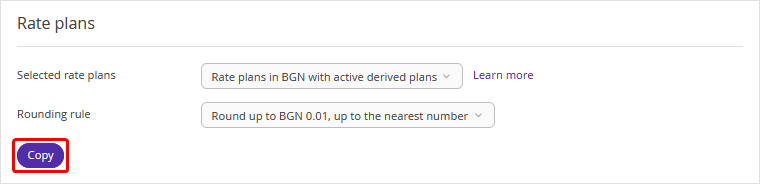
The copying process will begin. As a result, rate plan copies with prices converted to euro will be created for the selected rate plans in levs. Rate plans in other currencies will be copied without changes.
Features
1. Prices in copied rate plans are converted using the official exchange rate of the Bulgarian National Bank and the rounding rules defined in the original rate plan.
2. In the copied derived rate plans, prices are recalculated according to the rules for derived price set in the original derived rate plans.
Pay attention. If the price in a derived rate plan is calculated by formula, the formula will be copied without any changes. For example, if the «rate+100*beds» formula is used, the surcharge for the original derived rate plan is 100 levs, but for the copied derived rate plan, it will be 100 euros. Make sure to check and correct the formulas, if required.
3. A rate plan that has already been copied cannot be copied again. If some rate plans were not copied earlier, you can copy them at any time.
4. After creating a copy of a base rate plan (including all its derived rate plans), neither the original rate plan in levs nor the copy rate plan in euros can be deleted in the Exely extranet. If you need to delete a rate plan, contact your Customer Support manager or Exely Customer Support team.
5. After copying, derived rate plans cannot be converted into base rate plans — neither in the original rate plan tree nor in the copied one.
6. The copied rate plan will include the [EUR] tag in its name to help you distinguish it during rate plan mapping for PMS integration. For example, if the original rate plan in levs is named “Best Price,” the copied rate plan will be named “[EUR] Best Price”. You may remove this tag by editing the rate plan name.
Extra services, transfers and early check-in / late check-out rules
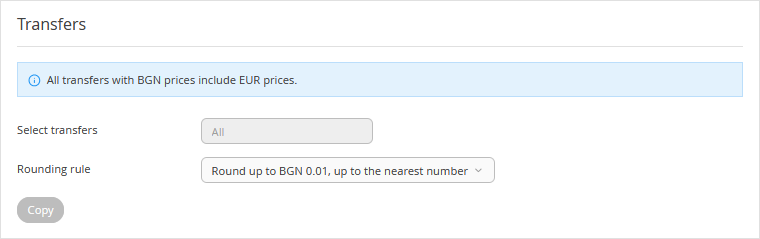
If there are extra services, transfers, or early check-in/late check-out rules that have prices only in levs and not in euros, this will be indicated in the corresponding sections.
Select the rounding rule and click “Copy”.
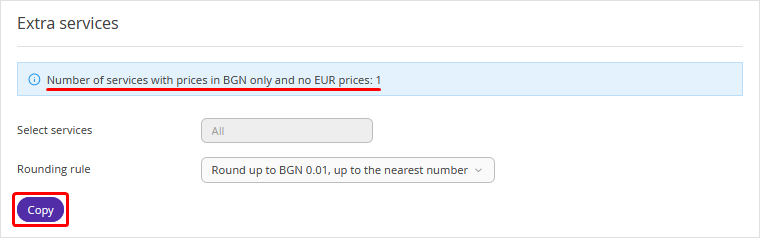
Pay attention. The process for services, transfers, and early check-in/late check-out rules is different — after clicking “Copy”, a price in euros will be added to the service, transfer, or an early check-in/late check-out rule.
If all services, transfers, or early check-in/late check-out rules already have prices in euros, the “Copy” button becomes inactive.