If you work with the Exely Loyalty Program and a third-party PMS such as Opera or Fidelio, you can enable passing the loyalty cardholder’s full name into the booking comment.
This allows you to receive information about bookings that the loyalty cardholder makes for other guests. With this data, you can decide whether to provide the guest with loyalty program benefits.
To set up passing the loyalty cardholder's name to the booking comment, follow the steps below.
1. In the Exely extranet, go to “PMS integration” > “Booking delivery”.
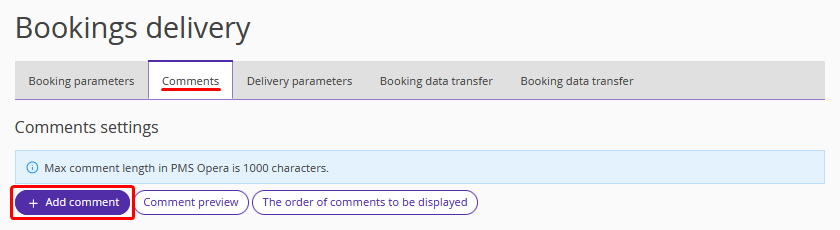
2. Switch to the “Comments” tab and click “Add comment”.
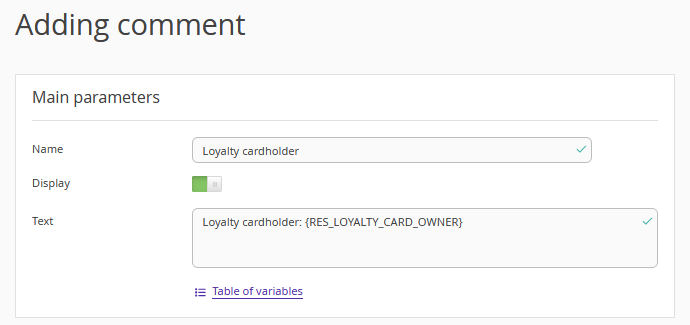
3. On the “Adding comment” page:
In the “Name” field, enter any name, for example, "Loyalty cardholder".
Enable the comment using the “Display” toggle.
In the “Text” field, enter the variable {RES_LOYALTY_CARD_OWNER} from the variables table.

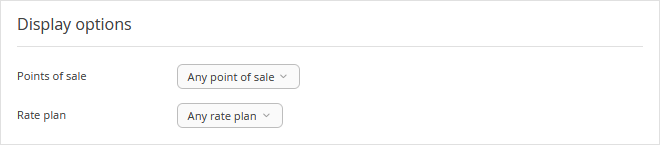
4. In the “Display options” section, select the point of sale and rate plan from the drop-down lists.
5. Save the changes. The added variable will appear in the table.

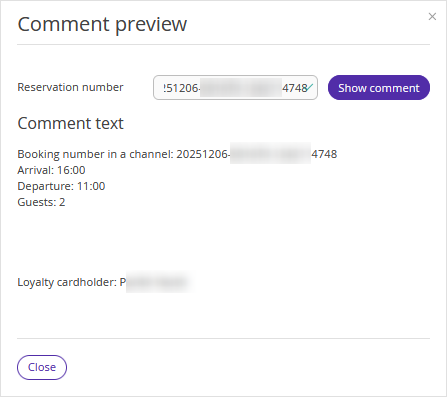
6. Click the “Comment preview” button.
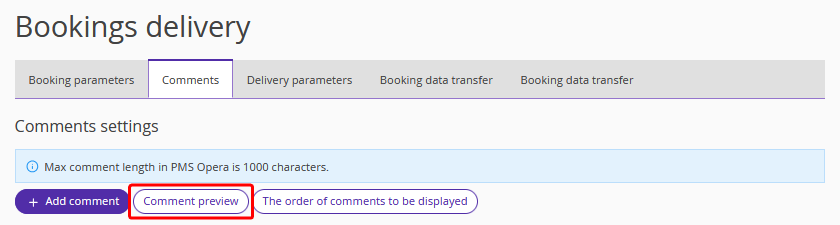
7. Enter the booking number and click “Show comment”. The loyalty cardholder's name specified in the booking will be displayed in the “Comment text” field.
For details on working with comments, refer to the article “How to set comments for bookings delivery to PMS”.
