This article explains the notions of Revenue and Payment, as well as the difference between them.
Room revenue is a theoretical value that shows how much the property should receive for the selected period.
Example — the “Revenue and occupancy” report.
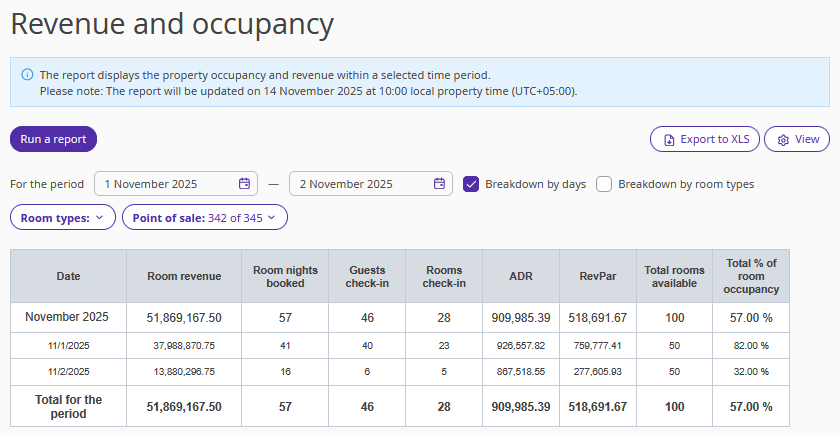
Room revenue is calculated for room nights. In the example, we will review the report for the period from November 1 to November 2, 2025. If there is a booking that partially falls within the selected period, the report will include only the revenue for the nights that fall within those dates.
Room revenue does not include the cost of any services included in the rate.
It does include surcharges for late check-out, if they fall within the selected period.
Let’s open any booking where the stay period includes November 1–2.
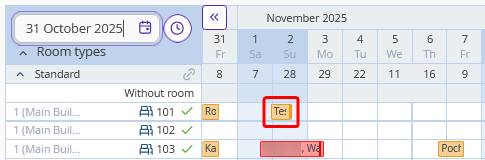
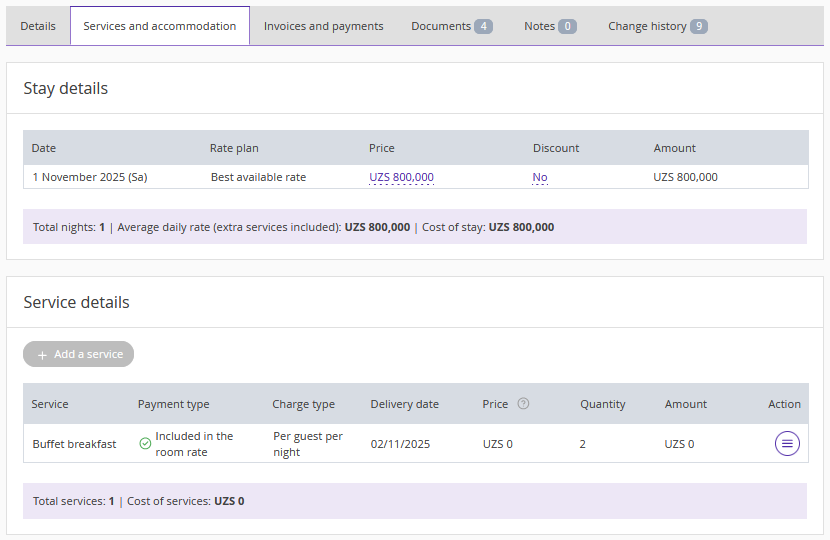
How does the report calculate the revenue for November 1? It takes the value from the Price column for November 1 and subtracts the cost of the service included in the rate.
Thus, for the booking in the example, the room revenue = 800,000 – 0 = 800,000 UZS.
The report sums up the revenue from each booking for November 1 and then proceeds to collect data for the next date.
Pay attention. The cost of the included services is subtracted from each night of stay, regardless of the actual service date.
Payment is the actual amount the property received during the specified period.
The term “Payment” appears in the “Booking balance” and “Payments” reports.
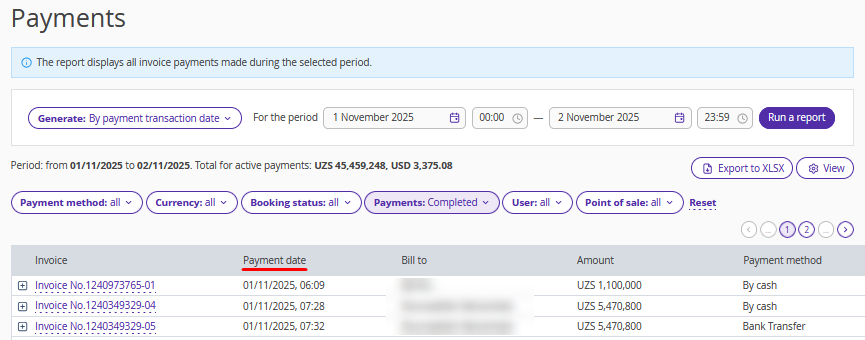
In this case, the report uses a different parameter.
Go to any booking and switch to the “Invoices and payments” tab.
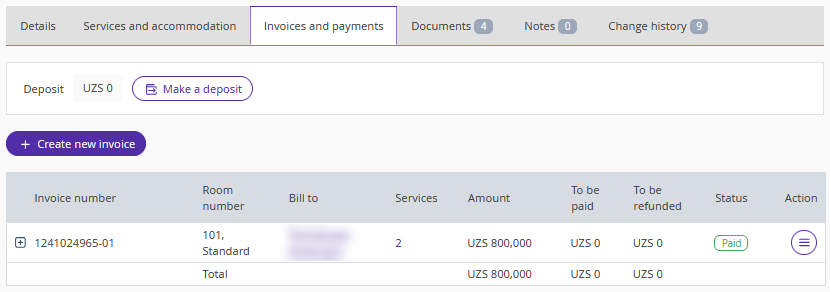
The “Payments” report, figuratively speaking, checks all bookings that were fully or partially paid and records the payment date and amount.
If the payment date falls within the selected period, the payment amount will be displayed in the report.
