If a guest needs to leave before the scheduled check-out date, it is necessary to change the dates of stay in the booking.
1. In the Exely extranet, go to “Reports” > “Bookings”.
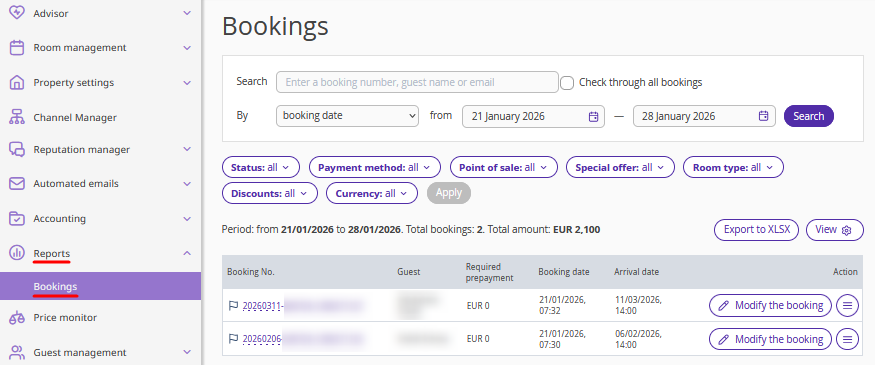
2. Find the required booking using filters, or enter the booking number in the “Search” field and tick the "Check through all bookings" check-box.
3. Click the "Modify the booking" button on the right, or "Action" > "Modify the booking".
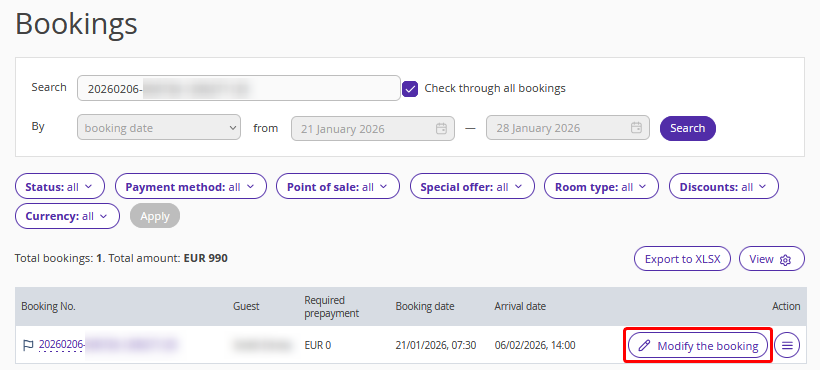
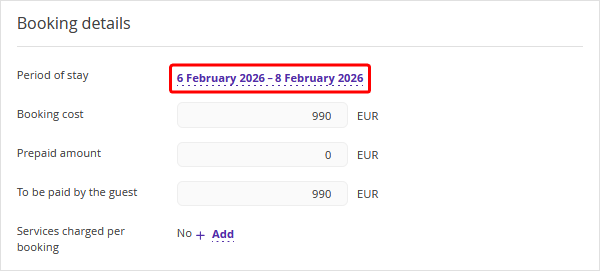
4. On the booking details page, in the "Booking details" section, click the dates in the "Period of stay" field.
5. In the opened window, change the check-out date and click “Apply”.
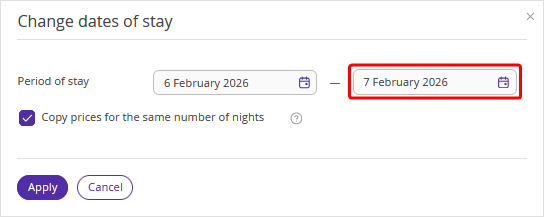
The booking cost will be recalculated automatically.
6. Click "Save" at the top of the page.
To send an updated booking confirmation to a guest, click "Send"
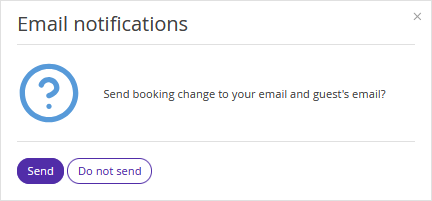
The number of available rooms for future dates will be automatically increased.
Pay attention. If the guest made a prepayment using one of the following payment methods, you will need to issue the refund yourself:
at check-in;
bank transfer for individuals;
bank transfer for legal entities;
bank card via any acquiring.
