If a guest booked a stay on the property website and did not arrive, cancel the booking in the Exely extranet.
You can cancel the booking until the check-out date.
Pay attention. If the guest did not arrive and the check-out date has already passed, the booking must be excluded from reconciliation in the "Accounting" > "Booking reconciliation" section before reconciliation is closed. For details, see the article “How to reconcile bookings made at the property website in Exely extranet”.
To cancel the booking,
1. In the Exely extranet, go to “Reports” > “Bookings”.
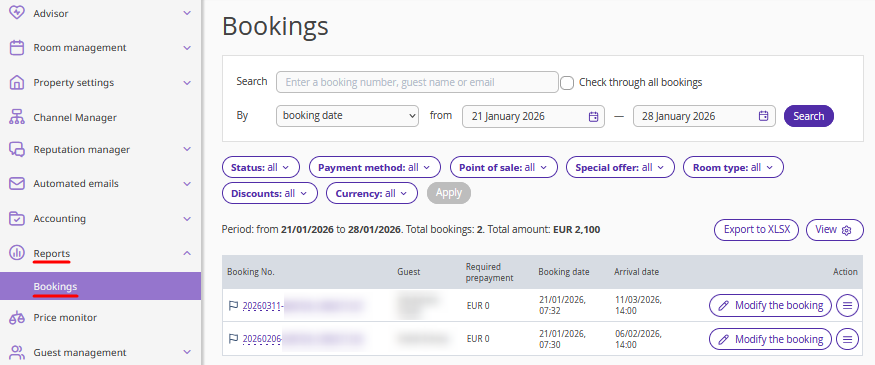
2. Find the required booking using filters, or enter the booking number in the “Search” field and tick the "Check through all bookings" check-box.
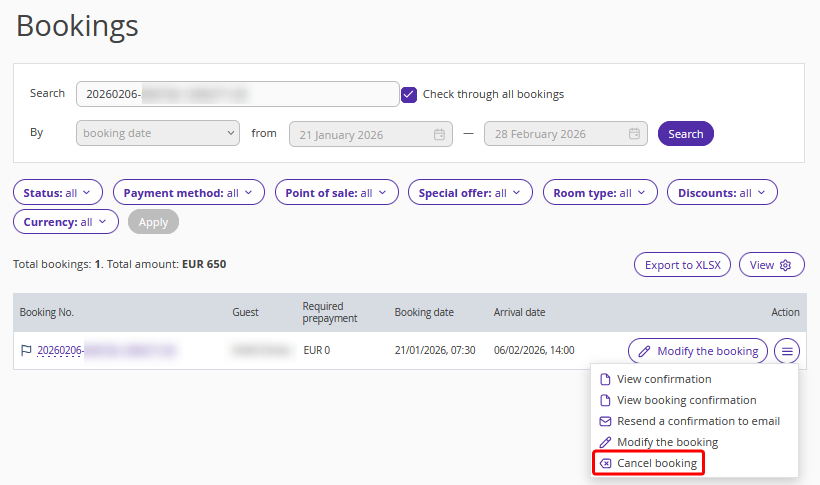
3. Click "Action" > "Cancel booking".
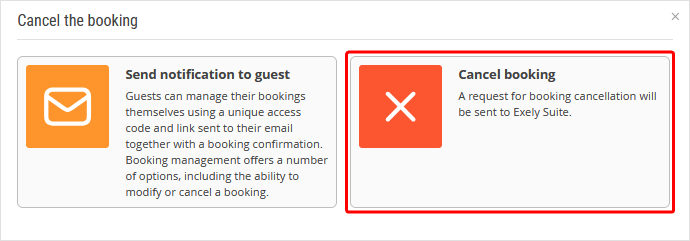
3. In the opened window, select “Cancel booking”.
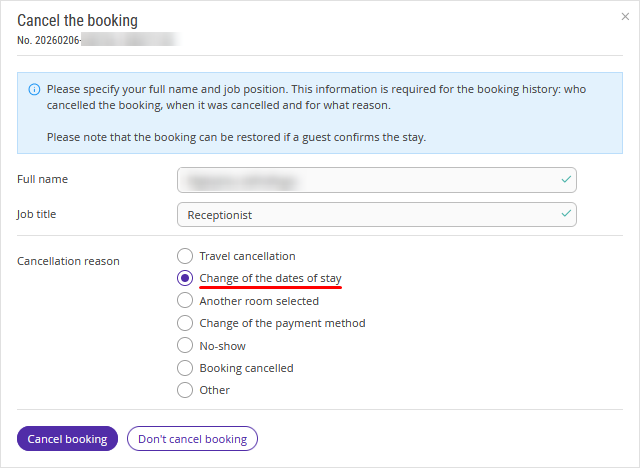
4. Enter your details, select the cancellation reason and click “Cancel booking”.
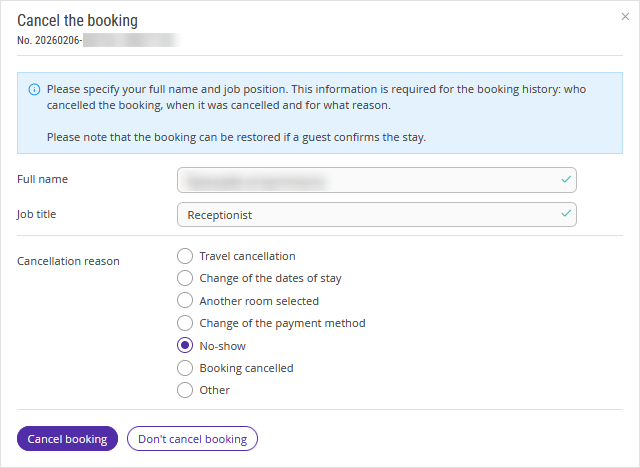
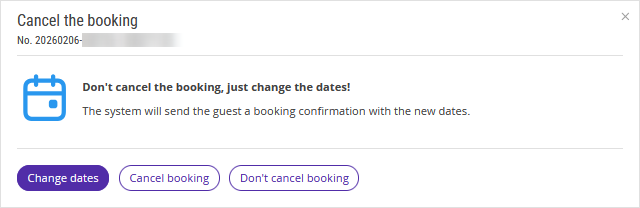
Pay attention. If you select the reason "Change of the dates of stay", Exely Suite will prompt you to change the dates of stay instead of canceling the booking.
5. The booking will be canceled.
Pay attention. If the guest made a prepayment using one of the following payment methods, you will need to issue the refund yourself:
at check-in;
bank transfer for individuals;
bank transfer for legal entities;
bank card via any acquiring system.
