If a booking made at the website was cancelled by mistake or the guest has changed their mind and wants to stay at your property, you can restore the booking.
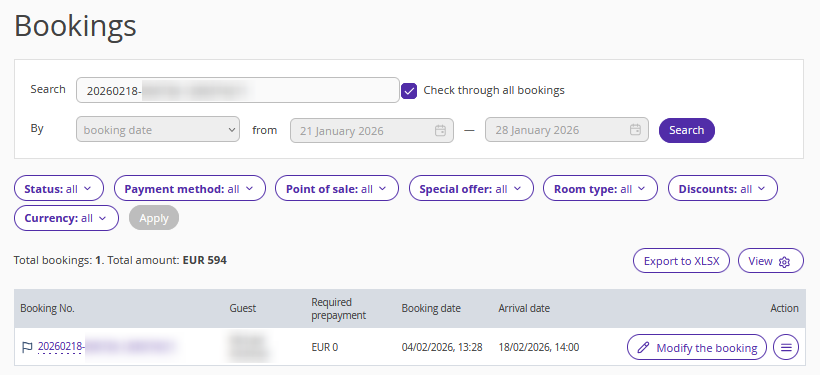
1. In the Exely extranet, go to “Reports” > “Bookings”.
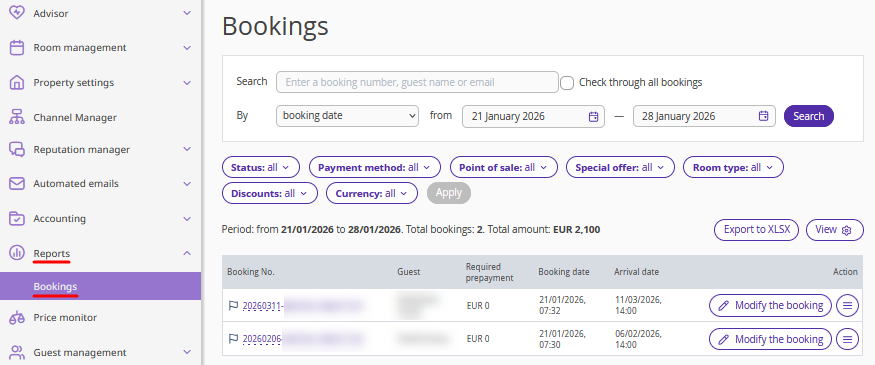
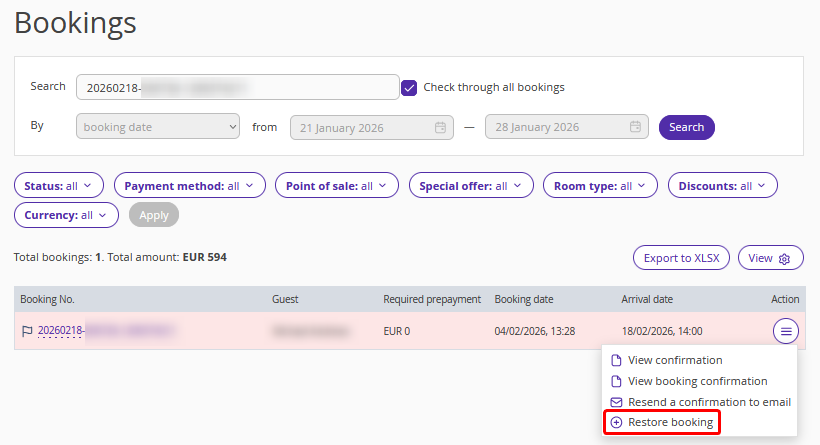
2. Find the required booking using filters, or enter the booking number in the “Search” field and tick the "Check through all bookings" check-box.
3. Click "Action" > "Restore booking".
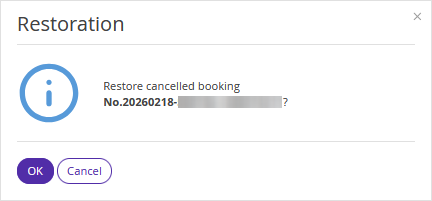
4. Click “OK” to confirm the booking should be restored.
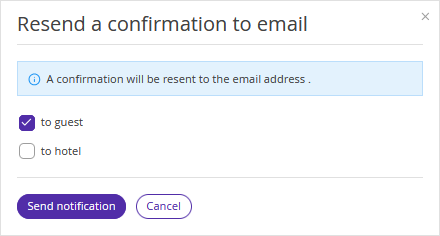
5. In the “Resend a confirmation email” window, select who to send the booking confirmation to and click ”Send notification”.
The booking is restored.
After the booking is restored, you can change the dates of stay, if required. To do this, use the instruction: "How to change dates of stay for a booking made at the property website".
Pay attention:
A booking can be restored as long as reconciliation has not been closed for it. Under the standard contract terms, bookings can be reconciled only until the 4th day of the month following the reporting month. You can check the exact reconciliation date in the section "Accounting" > "Booking reconciliation".
If reconciliation is closed, the booking cannot be restored.
Bookings with the payment method "Deferred electronic payment" cannot be restored.
