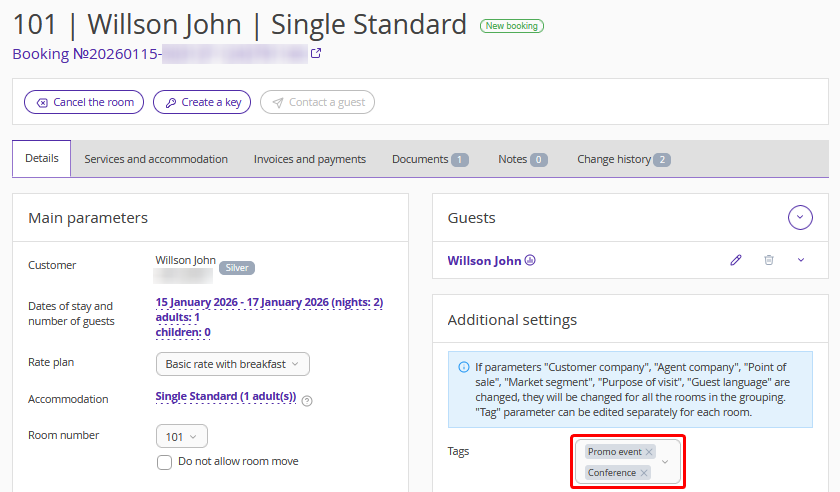
A tag is a keyword or search filter. Use tags in Front Desk to mark guest bookings by a specific attribute.
How to set up tags
Create a list of tags to mark bookings:
1. In the Exely extranet, go to “Property Management” > “Settings” > the “References” tab and click the “Tags” reference.

2. Two tags are added by default: “Promotion” and “Business forum”. Click “Add new element” to add your own tags to the reference.
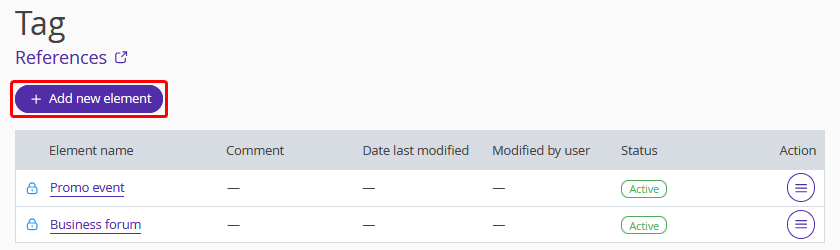
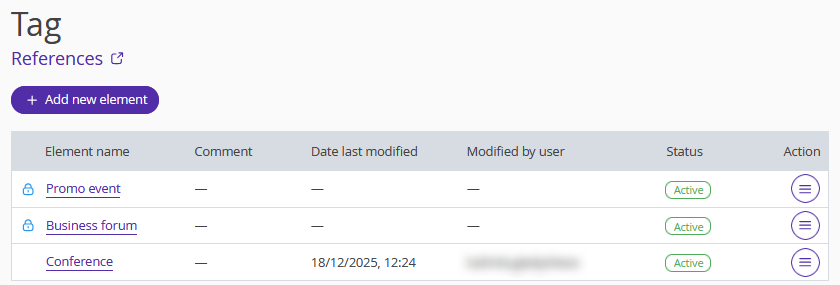
3. In the opened window, enter the tag name, select the activity status and add a comment. Click “Apply”.

4. Click “Save” at the top of the page. Tag is added.
How to add a tag to a booking in Front Desk
1. Go to “Property management” > “Front Desk” and click the required booking.
2. Click the “Edit” button, a booking details page will be opened.
3. In the “Details” tab, find the “Additional settings” section.
4. Click the “Tags” field and select one or several tags from the drop-down list.

5. Click “Save” at the top of the page.
How to find a booking with a tag
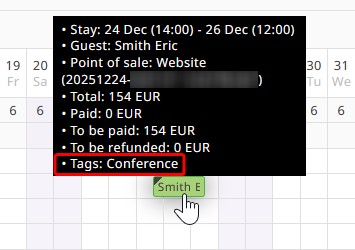
1. Go to “Property management” > “Front Desk”. Bookings with tags are marked with a small triangle in the upper left-hand corner of the booking cell.
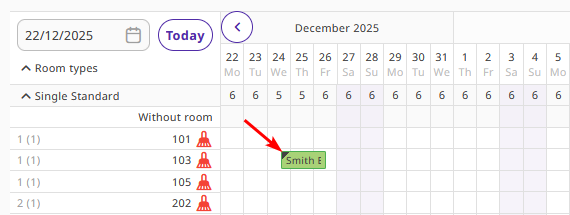
When you hover the cursor over the booking, the tag appears in the last line of the pop-up window.
2. A “Tags” filter has been added to the existing booking filters.

Select a tag in the filter. Bookings with that tag will be displayed in Front Desk.

Bookings without the selected tag will become transparent.

How to add a tag to a group booking
You can add tags to group bookings.
1. Click a group booking in Front Desk and go to editing it.

2. Click the booking number link to open the group booking details page.

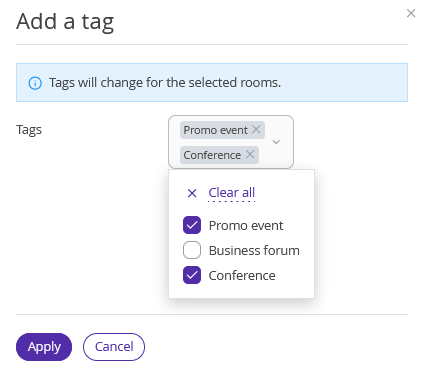
3. Switch to the “Rooms” tab. Tick check-boxes for the rooms which you want to assign the tag to and click the “Add a tag” button.

4. Select the required tag and click “Apply”. Then, click “Save” at the top of the page. The group booking now has the tag added.
You can add multiple tags or add different tags to different rooms.
In a group booking, tags are displayed in:
the “Rooms” tab in group booking details.

in Front Desk.

on the booking details page of each room in the group booking.