When guests access the Exely Booking Engine module from metasearch engines and sales channels, information about the reference source is displayed in the Exely extranet in the "Reports" > "Bookings" section.
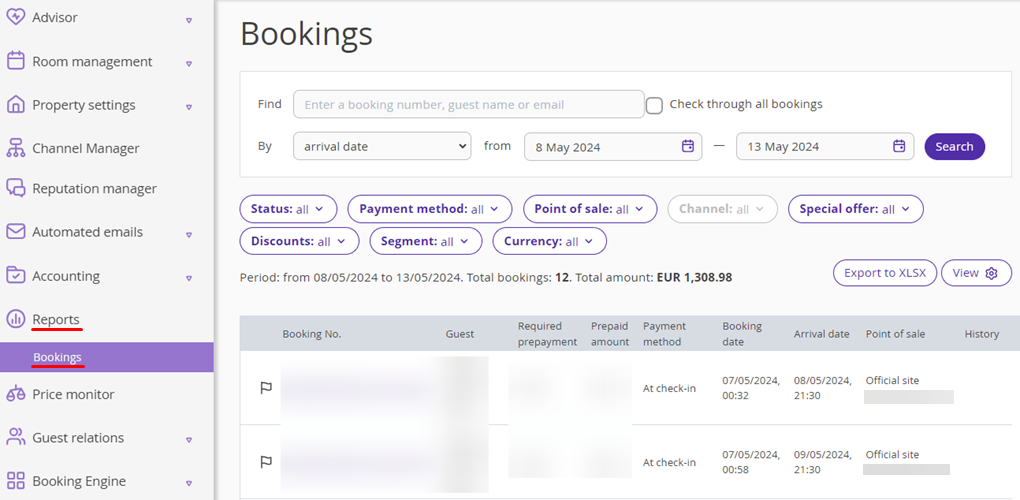
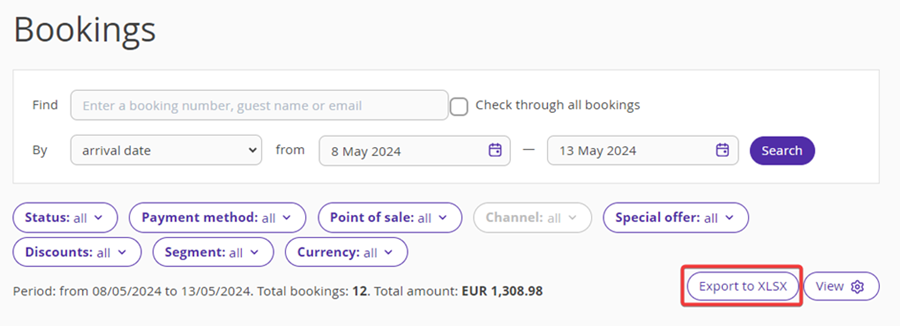
To have the reference source displayed in the bookings report, click "View".
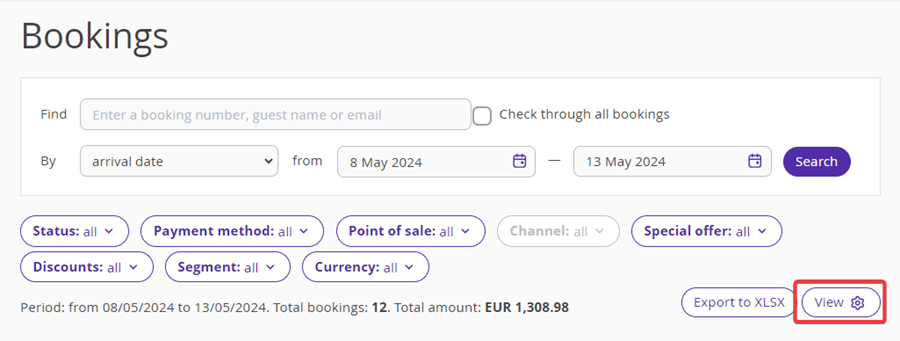
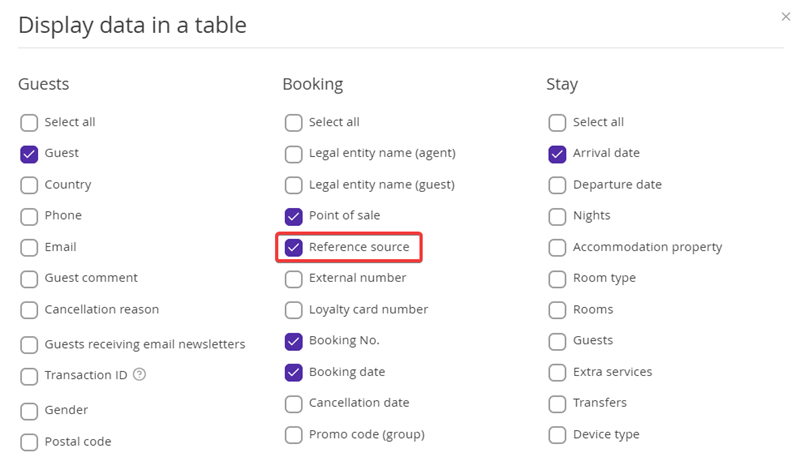
In the “Display data in a table” window, tick the “Reference source” check-box.
The “Reference source” column will be added to the table.
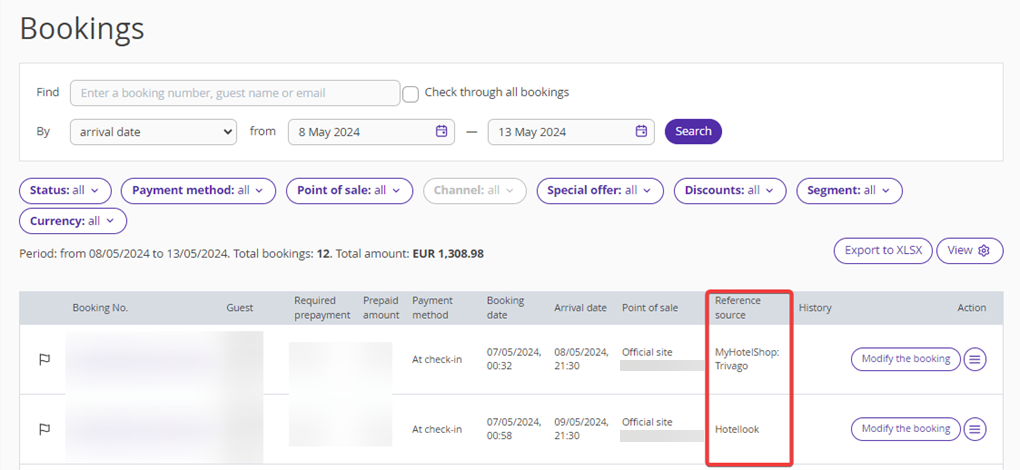
The reference source is also displayed in the report exported to XLSX.

Note. The “Reference source” field might be empty, if the reference source cannot be traced.