In the Exely extranet, go to “Guest management” > “Guest relations” > “Segments” and click “All guests”. On the segment page, click the “Overall statistics” tab.
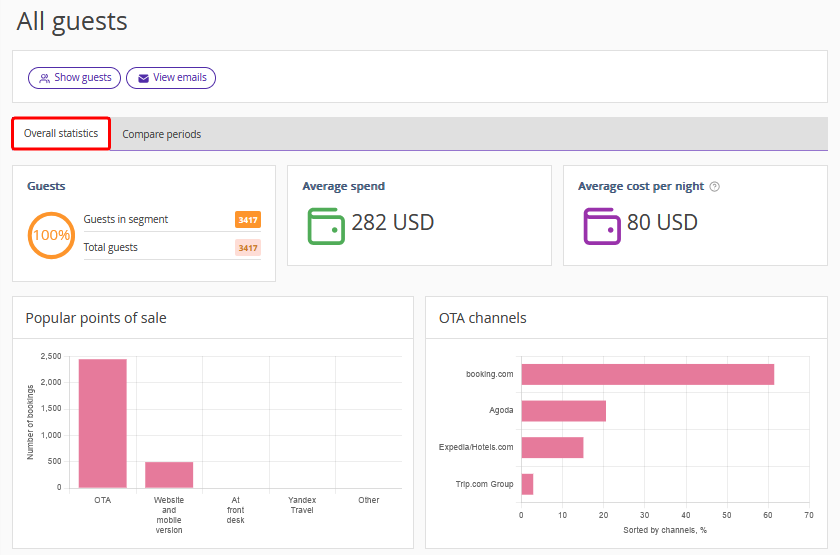
The “Overall statistics” tab shows the segment data for the entire data collection period that you set when setting up Exely Guest Relations.

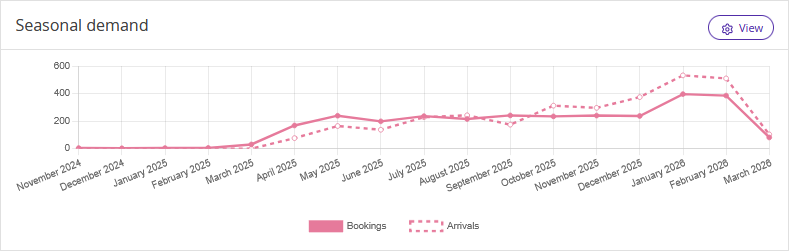
In the “Seasonal demand” section, the chart will show the start date of guest data collection. The solid line shows bookings, the dotted line shows arrivals.