For Exely Loyalty Program: Points with levels, it is possible to offer guests an automatic discount at the booking step, the amount of which depends on the guest's current loyalty level. At the same time, guests can still use their points. To set up discounts for the Exely Loyalty Program: Points, contact your Customer Support manager or Exely Customer Support team.
How points are redeemed and rewarded
System workflow:
1. A level discount is applied to the booking cost.
2. Points are redeemed (if the guest uses them).
3. New points are rewarded based on the final booking cost (Original booking cost - Discount - Redeemed points).
How to set level discounts
Pay attention. Before making settings, make sure the Exely Loyalty Program: Points with levels is set for your property.
1. In the Exely extranet, "Guest management" > "Loyalty program" > and click the “Edit” button for Exely Loyalty Program: Points.
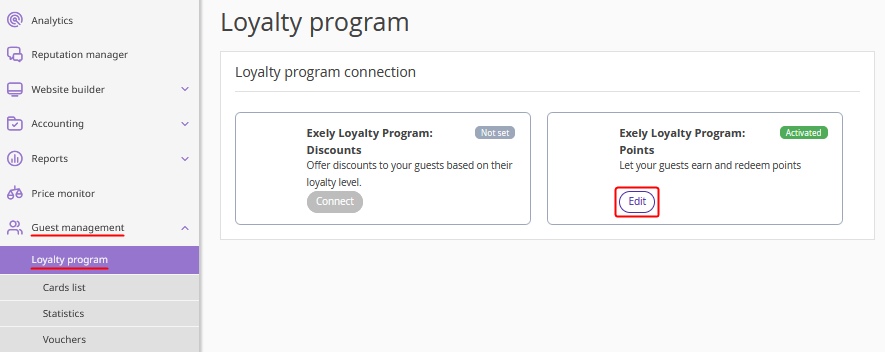
2. On the Exely Loyalty Program: Points settings page, switch to the “Rewards rules” tab. In the settings of each level, the "Discount rate" field will appear.
3. Specify a whole number from 0 to 99 for each level. The "Discount rate" field cannot be empty.
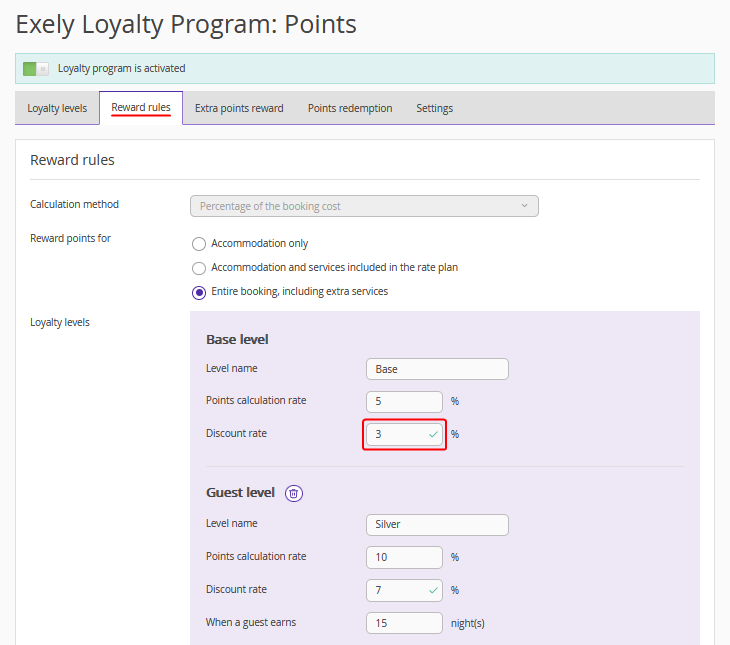
Pay attention. The discount at the “Base” level may be either higher or lower than at the following levels.
4. Click “Save” at the top of the page.
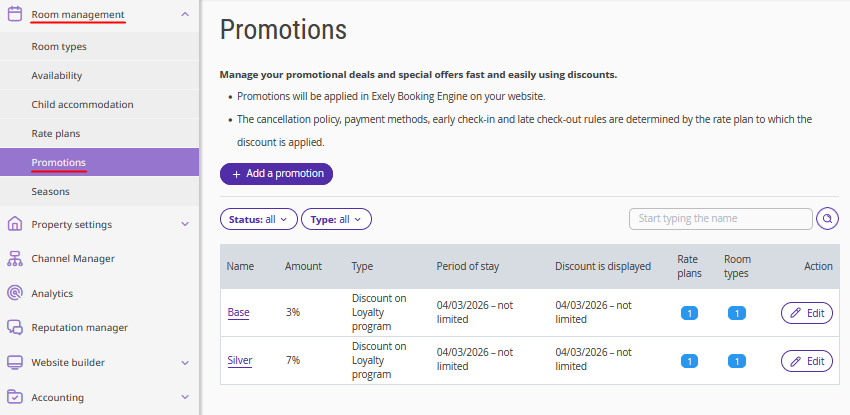
Pay attention. After the discount settings are saved, the corresponding rules are automatically created or updated in the "Room management" > "Promotions" section. If 0 was specified in the "Discount rate" field, the discount will not be displayed in the "Room management" > "Promotions" section.
How level discounts are displayed for guests
In the guest account: The discount is applied automatically immediately after the guest logs in to their account. The guest will see their current discount rate for the loyalty card and in the terms description. If the discount is 0%, information about it is not displayed.
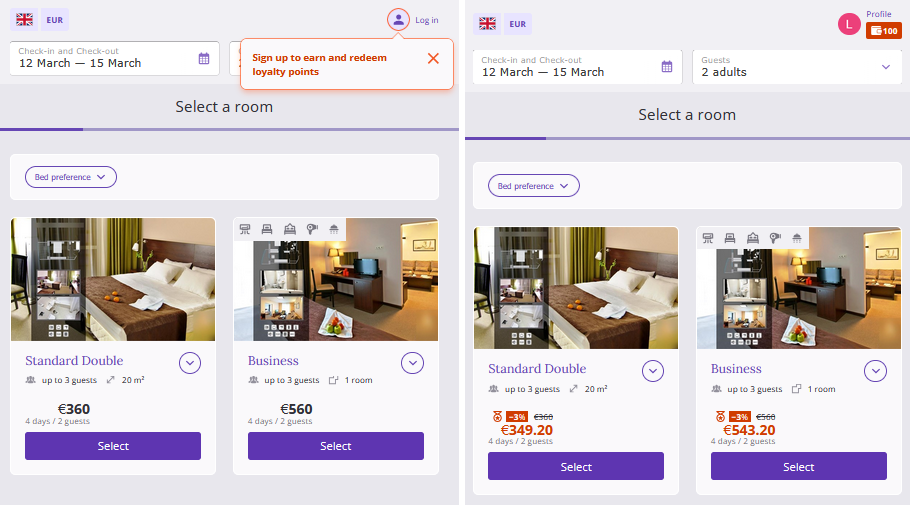
In the booking engine: At the payment step, the guest will be offered the option to redeem points. The booking confirmation will display the loyalty card discount and the amount of redeemed points.
