The financial daily comparative report allows you to view the property’s revenue by key categories for a selected period and compare it with any other period based on several metrics:
revenue received from accommodation at the property;
revenue received from the sale of extra services;
revenue received from the sale of meal services.
Pay attention. The data in the report is updated once a day at 10:00 local property time.
How to generate the report:
1. Select the dates in the “Review period” fields.
2. In the “Comparison period” field, specify the period to compare with.
3. In the “Grouping” filter, select how to group the data: by day, week, month, quarter, or year.
4. Click “Run a report”.
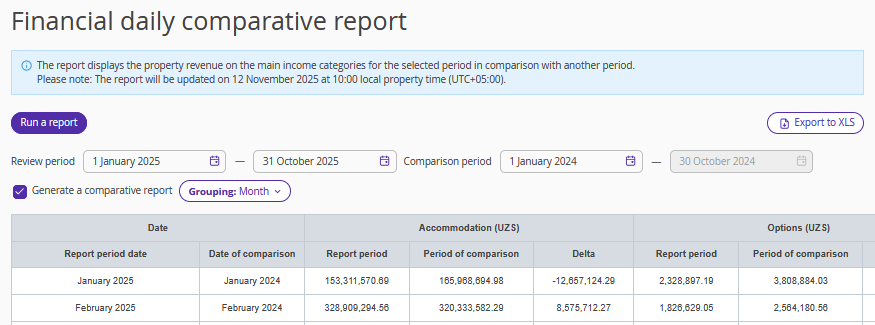
The table displays the following metrics:
Accommodation — revenue for accommodation, including early check-in and late check-out, but excluding services included in the rate.
Options — the total cost of extra services, except meal services, ordered for the period, including services included in the rate plan.
Meal — the total cost of services of the “Meal” type.
Transfer — the total cost of transfers.
Other — includes revenue from no-show penalties for bookings made in Exely Booking Engine and guest deposits used as penalties.
The “Total” row contains the overall sums for the entire selected period.
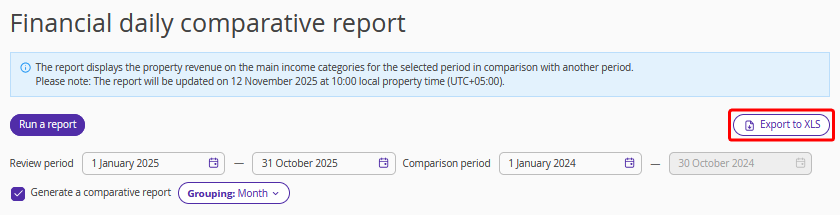
To download the report, click the “Export to XLS” button.