In this article, we will review how to cancel a booking made at the property website.
To cancel a booking from the property website in the Exely extranet,
1. In the Exely extranet, go to "Reports" > "Bookings".
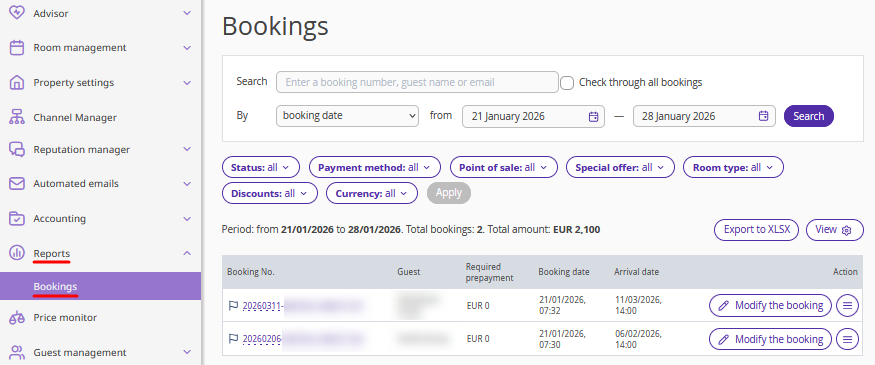
2. Find the required booking using filters, or enter the booking number in the "Search" field and tick the "Check through all bookings" check-box.
3. Click "Action" > "Cancel booking".
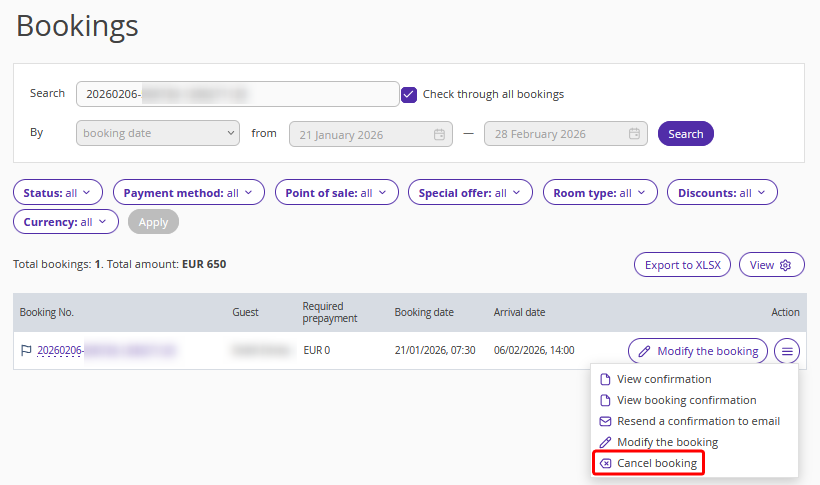
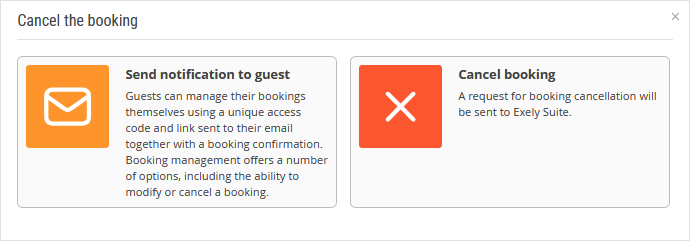
3. In the opened window, select one of the cancellation options:
"Send notification to guest" — the guest will get an email with a link for booking cancellation. For details about booking cancellation by guests, refer to “How a guest can cancel a booking made at the property website”.
"Cancel booking" — select this option to cancel the booking in the Exely extranet.
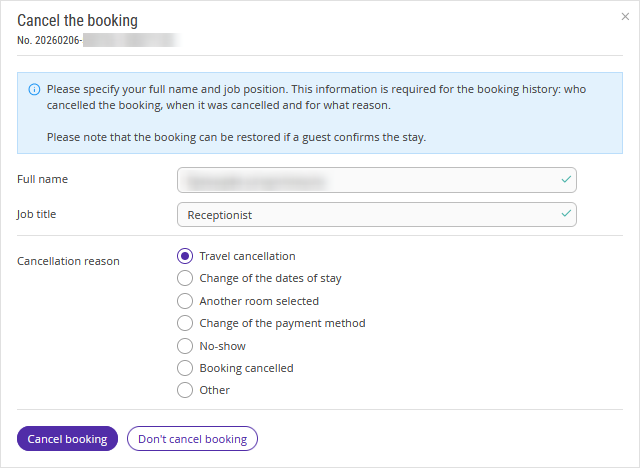
4. If you select the "Cancel booking" option, a new window will pop up. Enter your details, select the cancellation reason and click "Cancel booking".
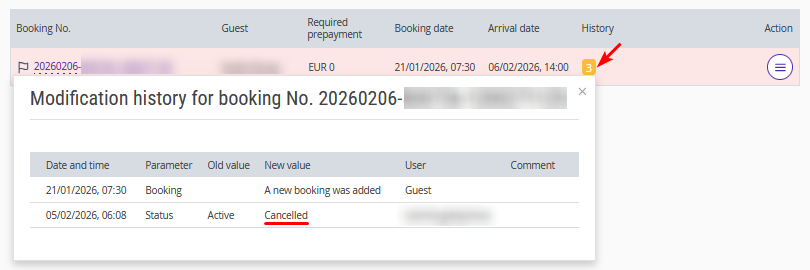
5. Once the booking is canceled, it will be highlighted in red. The history of changes for the booking, will show the information about the booking cancellation and the user who made the cancellation. A cancellation notification will be sent to the guest.
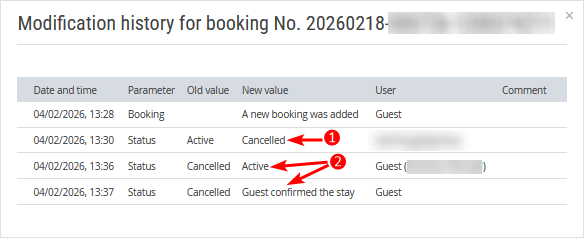
Pay attention. If the guest confirms the booking in the received email, the booking will be reinstated, and it will not be possible to cancel it again in the Exely extranet. In this case, to cancel the booking, send a request to your Customer Support manager orExely Customer Support team.
Pay attention. If the guest made a prepayment using one of the following payment methods, you will need to issue the refund yourself:
at check-in;
bank transfer for individuals;
bank transfer for legal entities;
bank card via any acquiring system.
