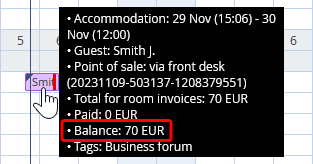
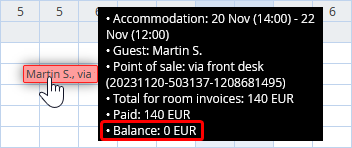
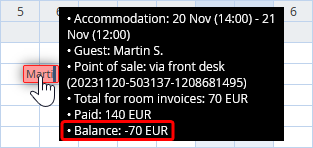
Booking balance displays the ratio of the amount paid to the amount due. To view the balance, mouse over the requried booking. In the popup, apart from other information, there is going to be a balance.
A balance can be one of the following:
Positive: the guest has not settled the bill yet
Zero: the bill is fully settled
Negative
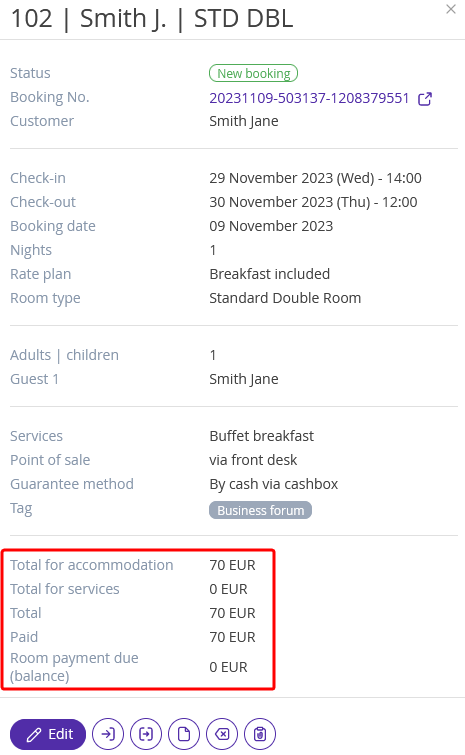
You can view the balance on the booking details page by clicking on the booking.
In the “Booking balance” report, you can monitor payment statuses, and accounts receivable, and find out the amounts on balances of each booking for the running period. Learn more in the “Booking balance report” article.
How to set booking balance view in Front Desk
You can configure how booking balance information is displayed in Front Desk using the "View" button.
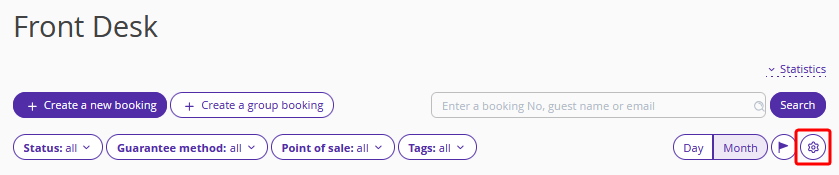
Find the "Booking payment view setting" section and select the preferred display option from the list. Then click the "Save" button on the top panel.
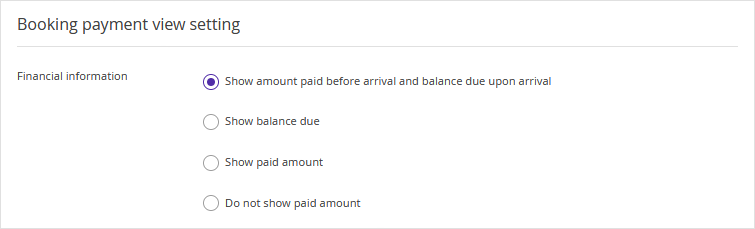
1. If you select "Show amount paid before arrival and balance due upon arrival", Front Desk will display:
- the amount already paid for future bookings and bookings that have not yet been checked in.
- the remaining amount due for checked-in bookings;
2. The "Show balance due" option displays the amount the guest still needs to pay, regardless of the booking status.
3. The "Show paid amount" option displays how much the guest has already paid, regardless of the booking status.
4. The "Do not show paid amount" option hides booking balance information. However, when you hover over the icon at the end of the booking, a summary tooltip will appear where you can view the balance.
Features of displaying the booking balance for a group booking
The total booking balance in each room will be displayed in the group booking. Since there is only one account in the group booking, its balance is displayed in each room.
However, if integration with cash register is set, information about the amount to be paid and refunded will be displayed separately for each room.
