New functionality has been added to Rate Match that allows you to find out where the price, that was set in the Rate Match rate plan, was taken from.
1. In the Exely extranet, go to “Rate Match” > “Price history”.
2. Find the required price overriding and click the image icon in the “Screenshot” column.
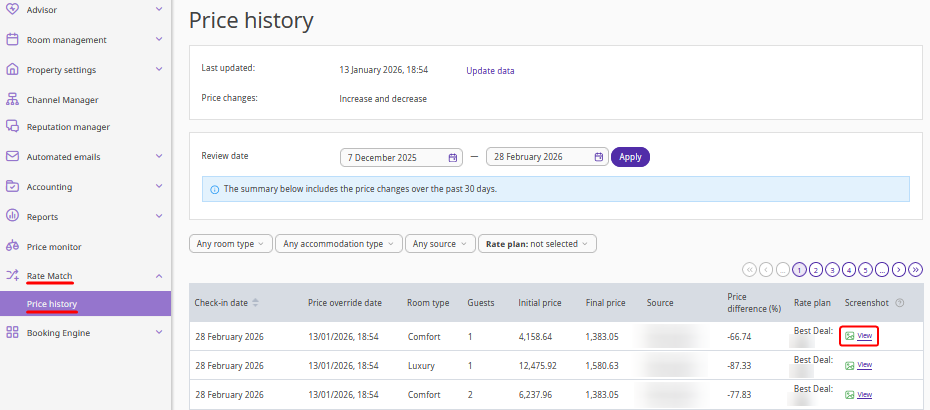
3. A screenshot of the OTA page where the price was taken from will be opened in a new tab.
Pay attention. The screenshot will contain all prices for all accommodations available at the time the screenshot was created i.e. for the arrival date and price override date. Check the screen shot of the page to find the required price.
In the “Price history” table, the “Screenshot” column can display one of five icons for each overridden price:

|
Screenshot is ready and available. |

|
Screenshot is being created. |

|
Screenshot was not created. |

|
Screenshot expired — price screenshots are stored for 45 days from the check-in date. |

|
The price has been overridden with an increase. |
Pay attention. If a price was overridden before the price source view functionality was launched, the screenshot column will be empty for it.
