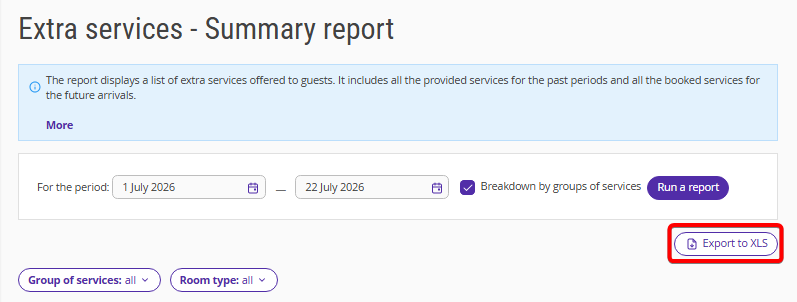
The “Extra services — Summary report” report contains a list of all extra services that have been provided to guests or are planned to be provided. For the past periods, the report displays all services provided, and for future periods, it shows services booked by guests.
Pay attention. The report does not include services from bookings in rooms for which “Ignore in statistics” is selected in the room inventory settings.
With this report, you can:
Monitor the performance of upselling plans for additional services over past periods.
Prepare the material and technical resources needed to deliver the sold services in the future.
Track the profitability of paid services both for the entire property and for each room type individually.
Analyze revenue by groups of services, including the restaurant, spa, equipment rental, and more.
To generate the report:
1. Select the period for which you want to generate the report.
2. In the “Room type” filter, select if you want to apply the report to a specific room type or to all room types.
3. Click "Run a report".
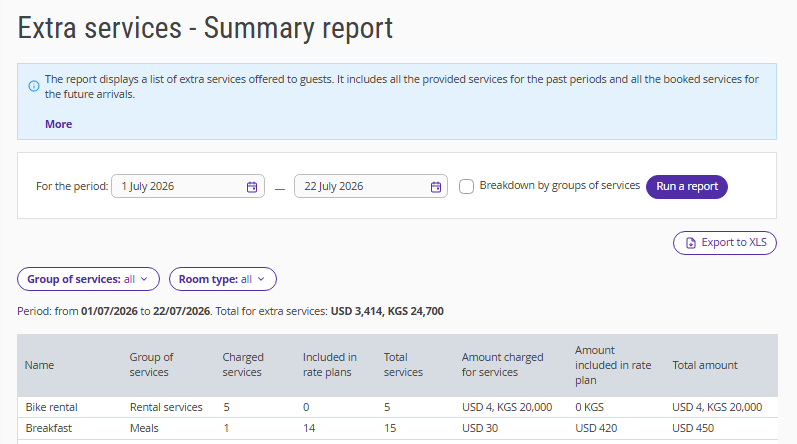
The report shows data on the following parameters:
Name — name of a service.
Group of services — a unit used to organize services in the property settings.
Charged services — the number of extra services not included in a rate plan that were booked along with the room or ordered during the stay.
Included in rate plans — the number of extra services included in rate plans and not paid extra.
Total services — the number of services provided to guests within the selected period.
Amount charged for services — the total cost of extra services for each item for the selected period.
Amount included in rate plan — the cost of services included in rate plan.
Total amount — the total cost of paid services and services included in rate plans.
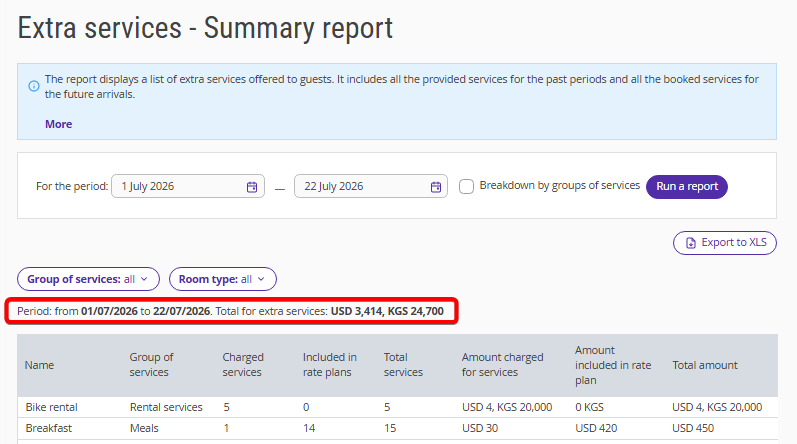
The total amount for the extra services is displayed above the table.
How service grouping works
If your property offers many services, you can organize them into groups of services — for example, by profit centre, such as the restaurant, spa, or equipment rental. This makes it easier to understand how much each area contributes to your overall revenue.
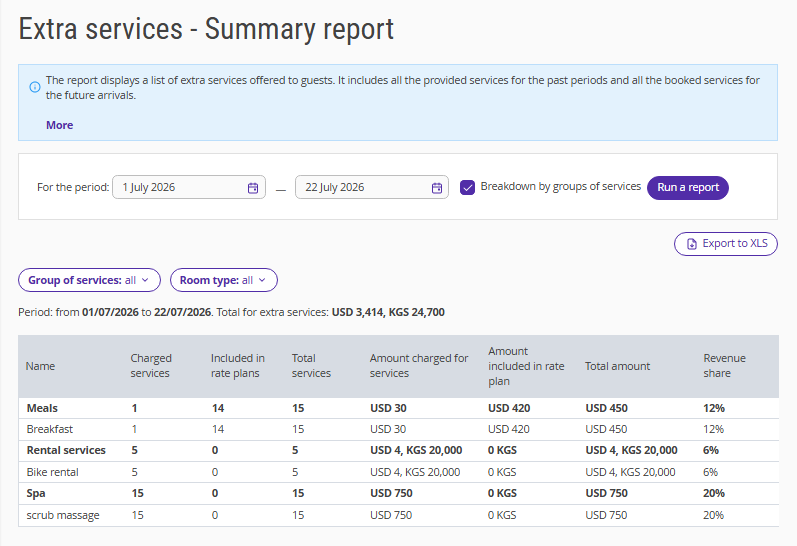
To enable grouping, tick the “Breakdown by groups of services” check-box. When grouping is enabled:
services are organized into groups of services;
each group displays its total revenue and share of overall revenue;
services that are not included in any group are displayed in "No group";
the report displays the grand total at the bottom.
“No group” includes services that are not assigned to any group, services from deleted groups, transfers, and services imported from the channel manager.
If your property provides services in multiple currencies, amounts for each currency are displayed separately, separated by commas, and are not combined. Each group's share of revenue is calculated based on the property's default currency.
The report uses the current group names and service assignments from the service settings. If you rename a group or assign a service to a different group, the changes are reflected in all reports, including reports for previous periods.
To work with the report more easily, you can export it using the “Export to XLS” button.