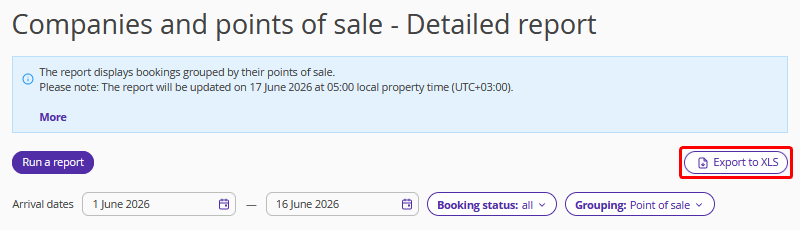
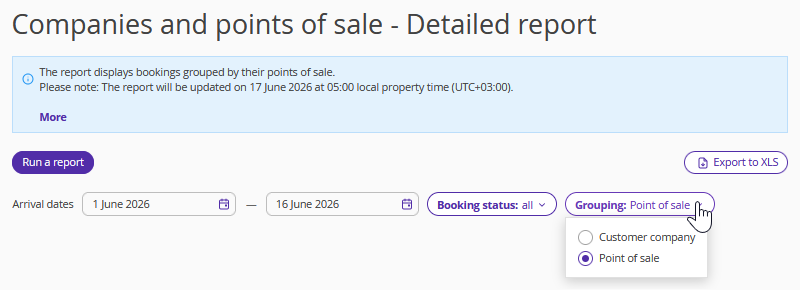
The report provides data on bookings received from each customer or point of sale and includes a detailed analysis of these bookings. Bookings are grouped by source: “Customer company” and “Point of sale”.
Pay attention. The information in the report is updated once a day at 05:00 local property time.
Report features
The report includes bookings with check-in dates within the selected period. The check-out date may fall outside this period.
If a booking includes multiple rooms, each room is displayed separately.
How to generate the report
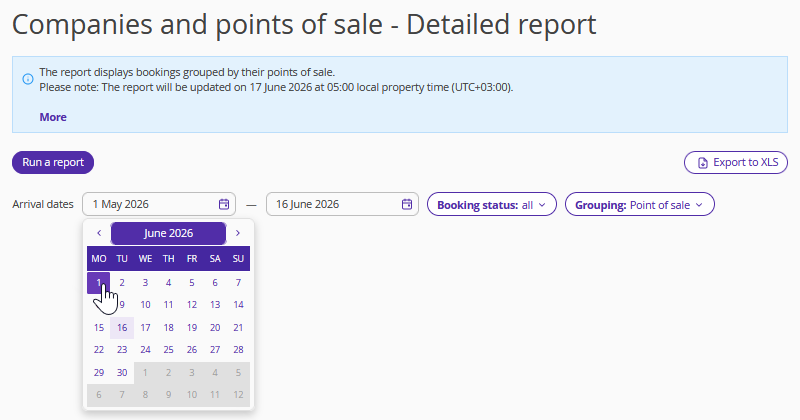
1. Select the period for which you want to retrieve data using the calendar at the top of the page.
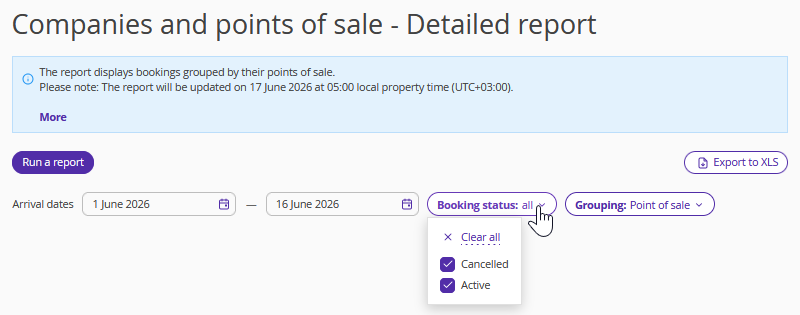
2. The report includes two filters: "Booking status" and "Grouping".
The "Booking status" filter helps distinguish active bookings from cancelled ones.
The "Grouping" filter allows separating data by customer company and point of sale.
3. Click the "Run a report" button.
The table will display the following key parameters:
Arrival — the check-in date for a booking. The booking might not be checked in in Front Desk yet.
Departure — the check-out date for a booking. The booking might not be checked out in Front Desk yet.
Booking number — the booking number.
Status — the booking status.
Client — the name of the first guest.
Nights — the number of nights.
Guests — the number of guests (by accommodations).
Average Daily Rate (ADR) — the average room price per night. It is calculated by dividing the net room revenue (including discounts and excluding indirect taxes and the cost of extra services included in the rate plan) by the number of sold room nights for the reporting period. ADR = room revenue / room nights sold.
Revenue from booking — the total amount of revenue for a booking.
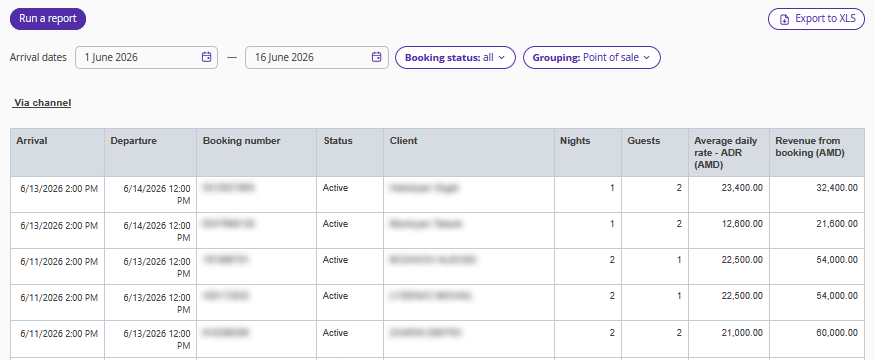
You can download the final report by clicking “Export to XLS.”