On the “Companies” page, you can add companies that you partner with. Companies are subdivided into customer companies and agent companies:
agent company — a company that assists in attracting guests to the hotel;
customer company — a company that receives services from you.
NOTE. As the personal data controller, you are responsible for ensuring that guests, employees or representatives or that of a third party have given valid consent before their personal data is entered. See Part 2 under "WHAT PERSONAL DATA DO WE COLLECT?" in our Extranet Privacy Policy for details.
How to add a new company
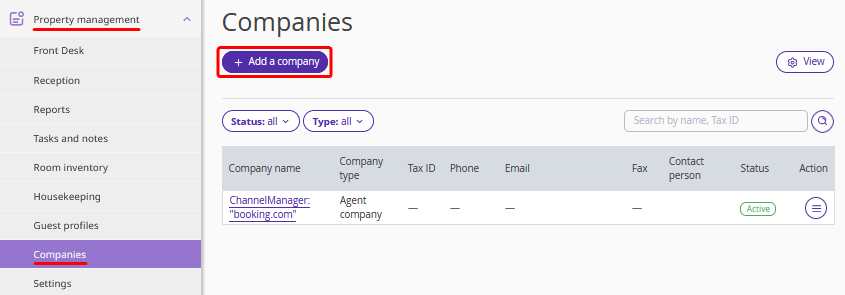
1. In the Exely extranet, go to “Property management” > “Companies” and click the “Add a company” button.
2. On the page opened, fill out the fields to create the company’s profile: select the company’s type, enter the company’s bank details and contact details of the company’s representative. Click on the “Save” button at the top of the page.
Based on the entered bank details, Exely Suite generates invoices for guests that booked through the company.
When creating a booking, you can indicate either an agent company or a customer company.
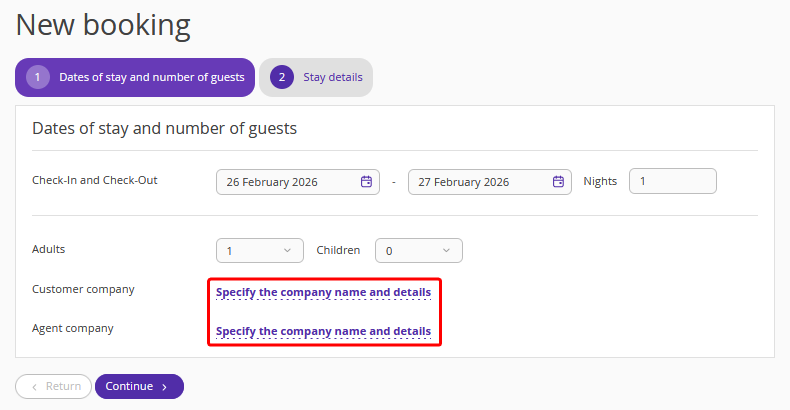
If you specify a company, the invoice for the booking will contain its details.
How to assign a channel to an agent company
If a channel has changed its name or legal entity, you can link the new channel name to the agent company.
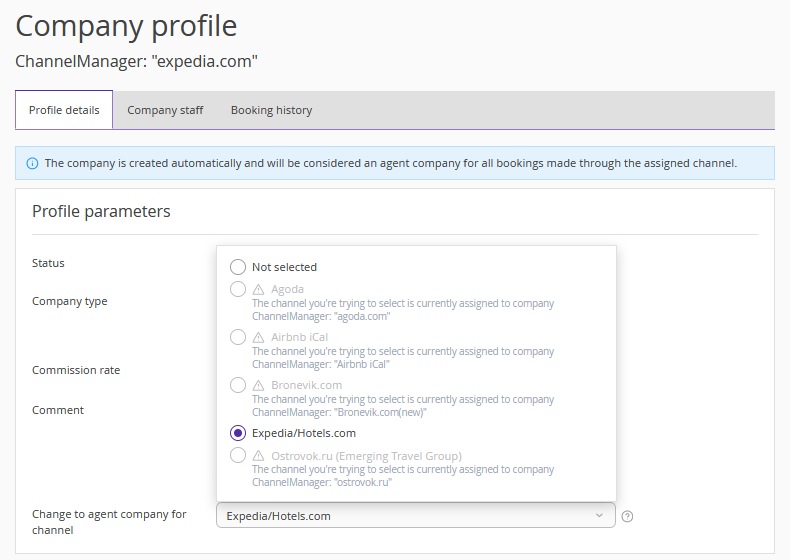
To do this, find the required agent company and select the channel in the “Change to agent company for channel” field. If the channel is already assigned to another company, a warning icon will be displayed.
How to set a commission for an agent company
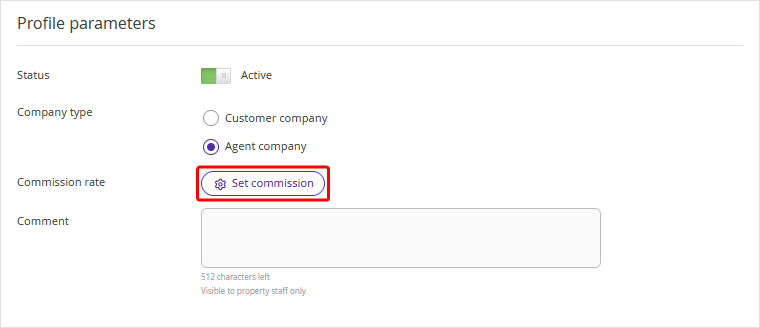
Usually, a property pays the agent a commission — a percentage of the booking amount. When creating or editing an agent company profile, click the "Set commission" button and specify the commission rate. The data will be displayed in the commissions report (currently under development).
If the commission rate differs by period, use the instruction: “How to manage agent commissions in Exely PMS”.