Guests often create multiple accounts when signing up in the booking engine. For example, a guest may sign up today using a phone number, and then a month later create a booking after signing up using their Google account. As a result, bookings become split between profiles, and loyalty points are not credited to new bookings.
To keep all earnings and bookings under a single loyalty card, guests can merge their profiles into one.
How to enable an option of merging duplicate profiles
In the Exely extranet, go to “Guest management” > “Guest account”. In the “Settings” section, tick the check-box next to the “Merging duplicate profiles” point.
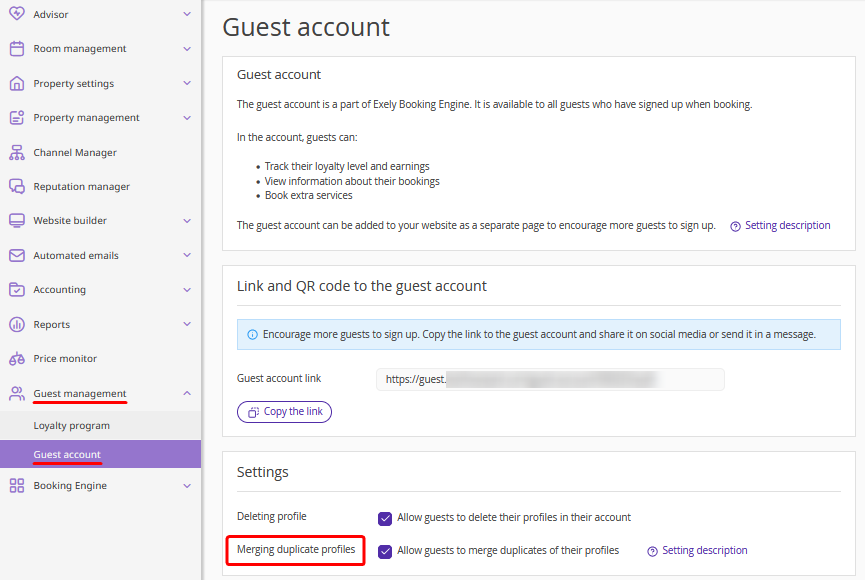
After that, when a guest logs in to their account, the system will automatically check their phone number and email address. If another profile with the same details is found, the guest will be prompted to merge the profiles.
How guests can merge profiles
1. A guest logs in to their account in the booking engine.
If a profile with the same details is found, the guest is prompted to merge the profiles.
2. To merge profiles, the guest logs into the duplicate profile.
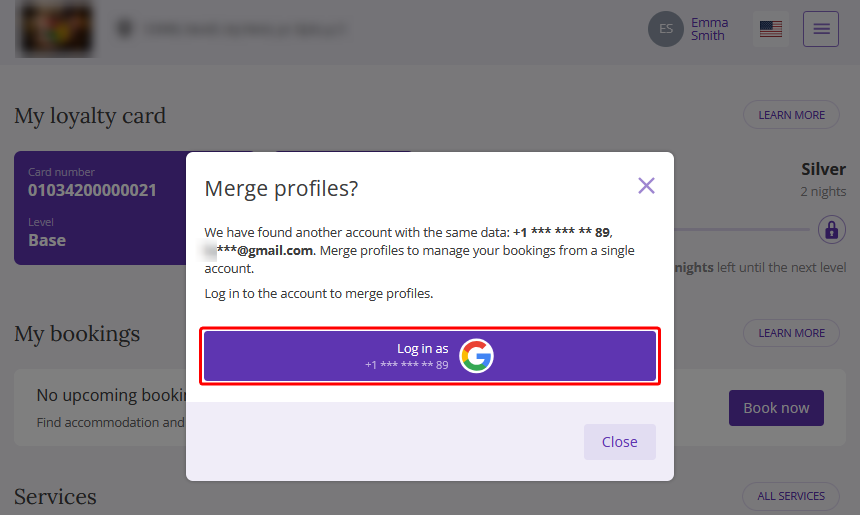
3. After logging into the duplicate profile, the guest confirms the profiles should be merged. The “Merge profiles” window will be opened showing the mismatched data from the two profiles.
4. The guest selects the data they want to keep for the main profile.
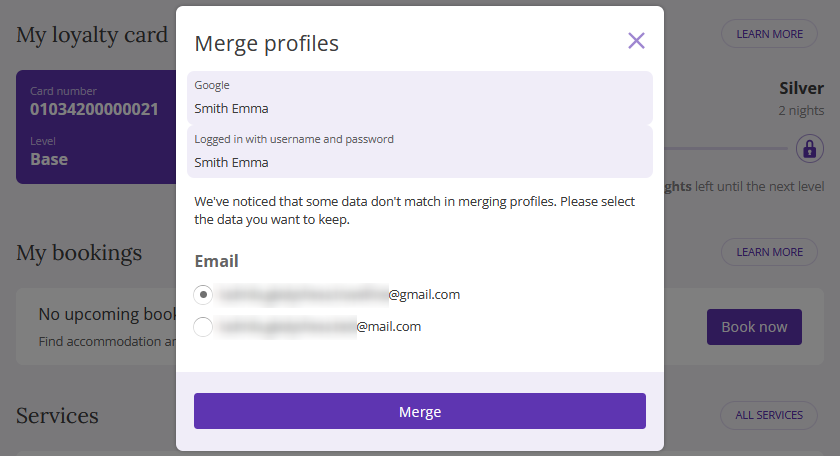
Pay attention. If both profiles contain loyalty cards for the property, the "Loyalty card" section will appear in the "Merge profiles" window with the loyalty cards for selection. Guests will see the details (points, levels, vouchers) to avoid accidentally deleting a card with a higher status or accumulated nights.
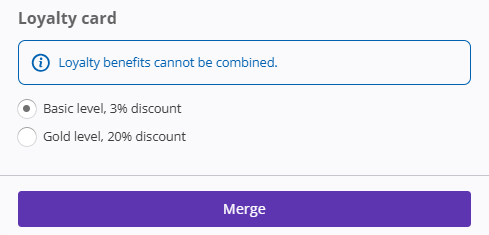
5. After selecting the data, the guest clicks "Merge".
After that, the guest will have one profile with the selected data and the saved loyalty card.
Pay attention:
If a card has no earnings, no level, and no points, the guest will see: "0% discount, 0 points".
If only one of the profiles contains a loyalty card with earnings, it will be transferred to the final profile automatically. In this case, the card selection section will not appear in the "Merge profiles" window.
Features of merging guest profiles
It is possible to merge only two profiles at a time.
Only mismatched data from the two profiles is shown in the profile merge window.
If the guest closes the window, the profiles will not be merged. If required, the guest can return to profile merging at any time in their account on the "Profile" tab and click the "Merge profiles" button. Or, click “Hide” to remove the duplicate profile information, if it does not belong to them.
If the guest has avatars from Google in their profiles, the avatar of the profile in which the merge is done will be saved during the merge.
