In the Exely PMS, invoices are generated automatically.,
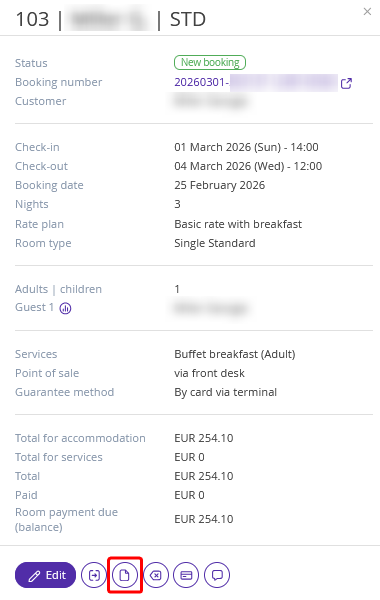
1. To view or download an invoice without opening the booking details page, click the required booking in Front Desk. In the opened booking details window, click the “Documents” button.
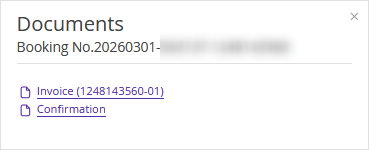
In the pop-up window, find the invoice and click it.
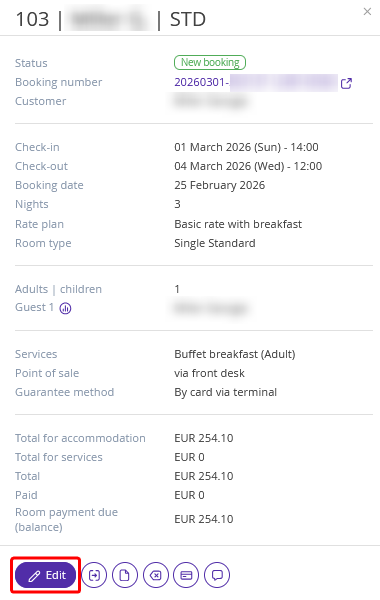
2. To view the invoice on the booking details page, click the booking in Front Desk. In the opened booking details window, click the “Edit” button.
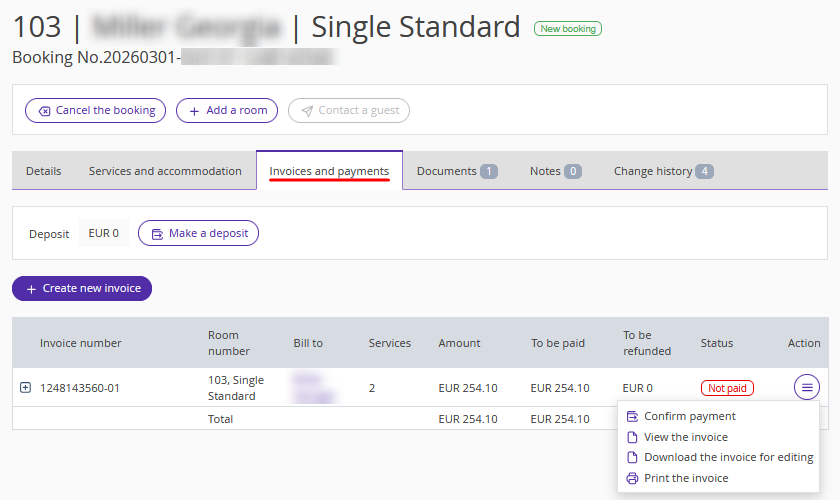
3. The booking details page will be opened. Switch to the “Invoices and payments” tab. All invoices that were generated automatically for the booking are stored here.
In the “Invoices and payments” tab, you can:
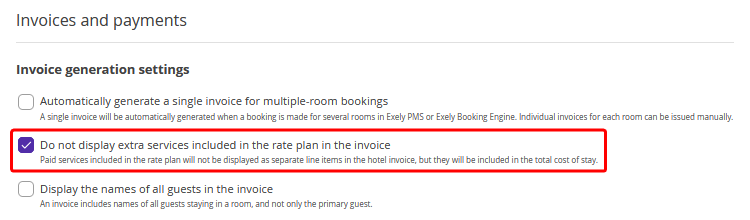
Pay attention. There are two ways how the extra services included in the rate plan are displayed in the invoice. This is managed by the "Do not show paid services included in the price in a separate line in the invoice" setting in “Property management” > “Settings” > the “Main settings” tab.
If the "Do not show paid services included in the price in a separate line in the invoice" check-box is NOT ticked, the extra services included in the price for the rate plan will be displayed in a separate line in the invoice.
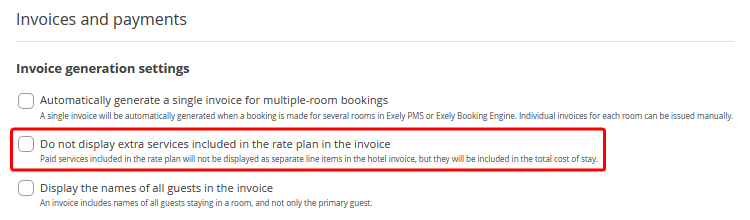
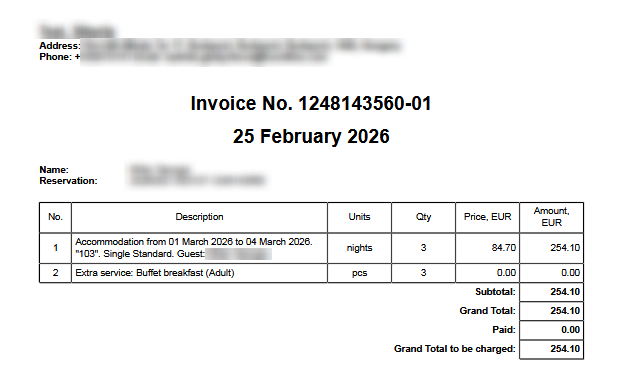
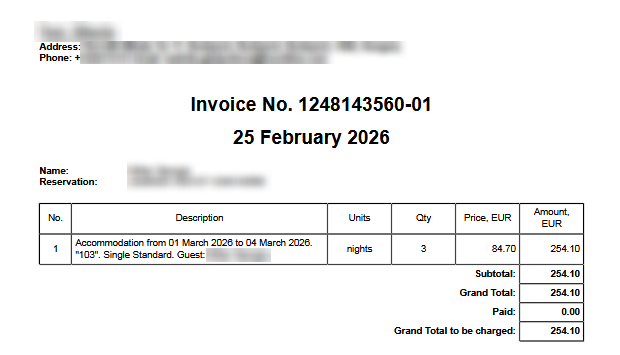
In case this check-box is ticked, there will be just one line in the invoice. Paid services included in the price for the rate plan will not be displayed in a separate line in the invoice, but they will be included into the total cost of stay.