A webhook is a mechanism for transferring data between different systems. Webhooks allow you to receive automatic notifications about events in Exely Suite, such as booking creation or cancellation.
To set up webhooks, in the Exely extranet, go to "Property settings" > "API connections".
Webhooks are set up when creating an API connection. You can also change the settings for an existing connection.
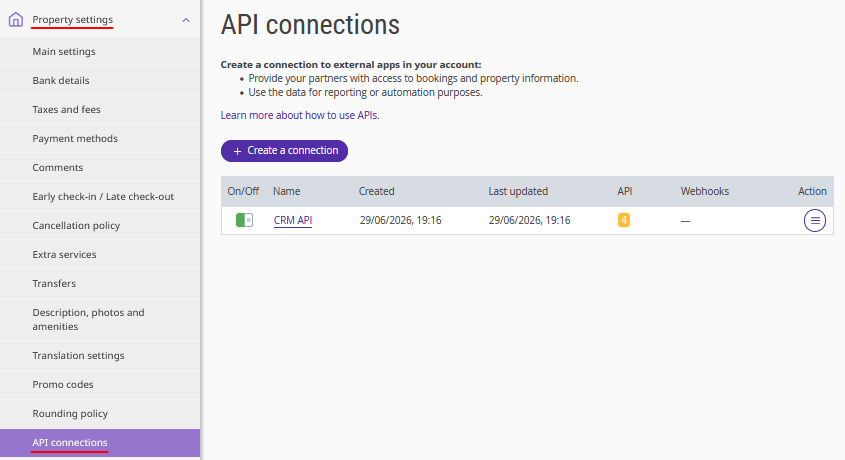
In the list of API connections, click the connection name. On the opened page, switch to the "Webhooks" tab.
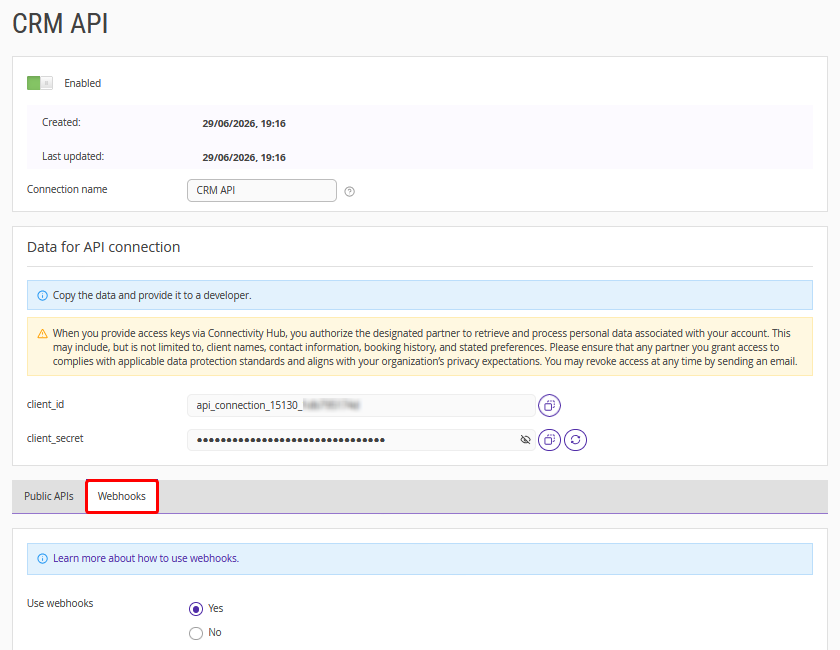
If the connection was created without webhooks, the "Use webhooks" option is set to "No".
To set up webhooks, select "Yes". Additional settings will appear on the page.
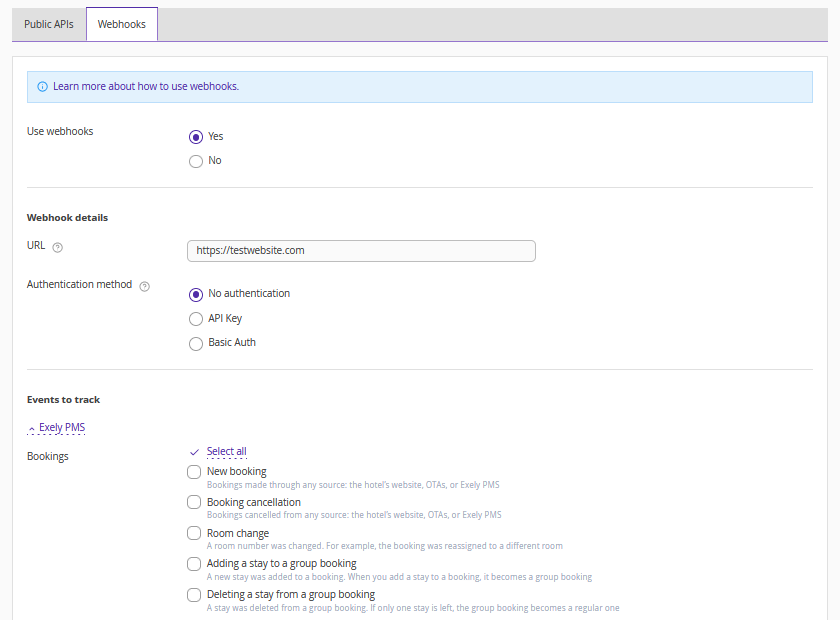
Webhook details
In the "URL" field, enter the URL of the server that will receive notifications.

Pay attention. The URL must:
Use the HTTPS protocol.
Be accessible for receiving events.
In the "Authentication method" section, choose how webhook requests should be authenticated:
No authentication — notifications are sent without additional verification.
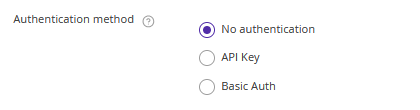
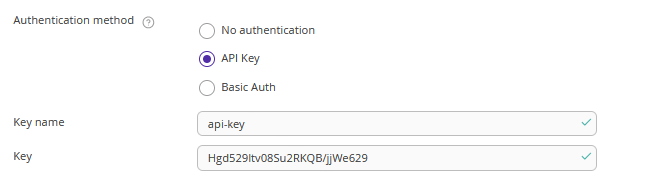
API key — notifications are sent with an API key to secure requests. The key is passed in the request header.
Example: 'API-KEY: Hgd529ltv08Su2RKQB/jjWe629', where “API-KEY” is the key name and “Hgd529ltv08Su2RKQB/jjWe629” is the API key.
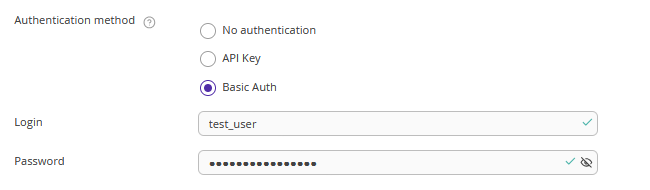
Basic Auth — notifications are sent with a username and password in the authorization header.
Example:

Events to track
Enable the events for which you want to receive notifications.
All events are grouped by solution and category. For example, Exely PMS includes categories such as bookings, check-ins, housekeeping, guests, and others.
Each category contains the events that will be sent to the URL you specified.
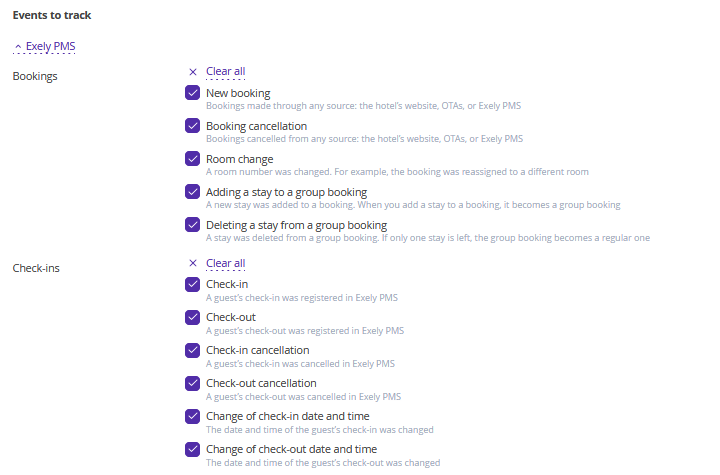
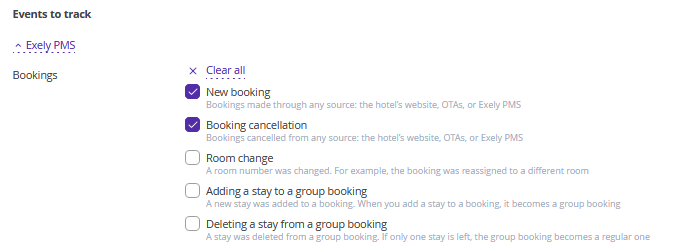
To disable all events in a category, click "Clear all", then select only the required events.
Note. The list of available solutions may vary depending on which Exely solutions are available in your extranet.
Click the "Save" button at the top of the page to save the settings and activate the webhook.
Pay attention. If you change the URL or the selected events, make sure to save the settings again.
How to verify webhook delivery
1. Notifications are sent in JSON format.
2. Make sure your server returns the “200 OK” status when it receives webhook requests. To test webhook delivery, you can use services such as webhook.site.
3. If webhook delivery fails, check the following:
The URL is accessible.
The API key is correct if authentication is enabled.
Your server's firewall settings allow incoming webhook requests.
If you have any questions about setting up or using webhooks, contact your Customer Support manager or Exely Customer Support team.