Market segmentation is vital for the property marketing strategy. It allows dividing customers into different groups or segments within which customers have similar requirements.
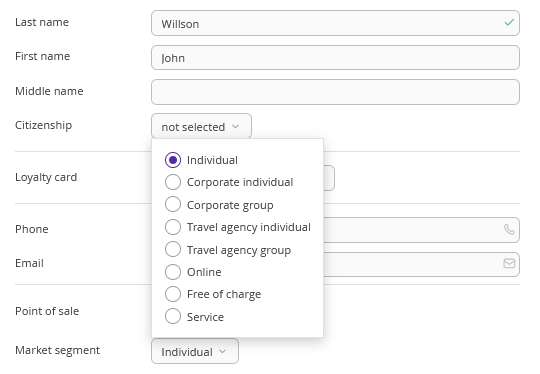
Use the “Market segment” parameter in Exely PMS Front Desk to track and analyse bookings.
You can specify the required segment when creating a booking in Front Desk.
The “Market segment” reference can be found in the “Property management” > “Settings” section > the “References” tab.
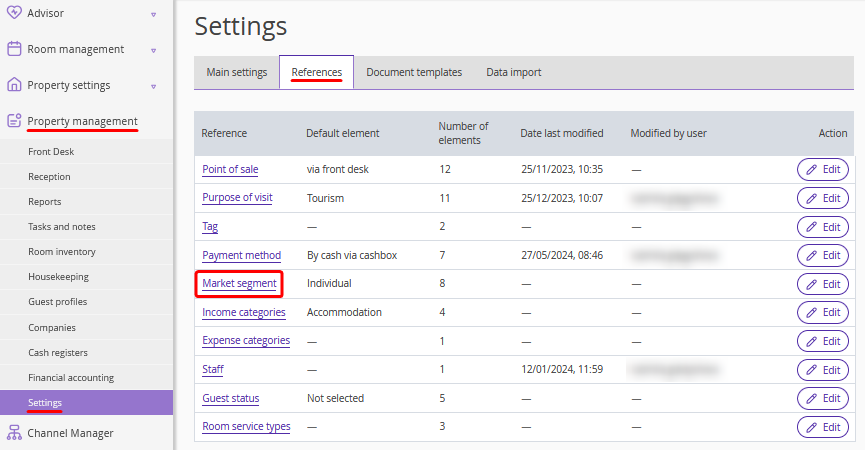
How to add a new market segment to the reference
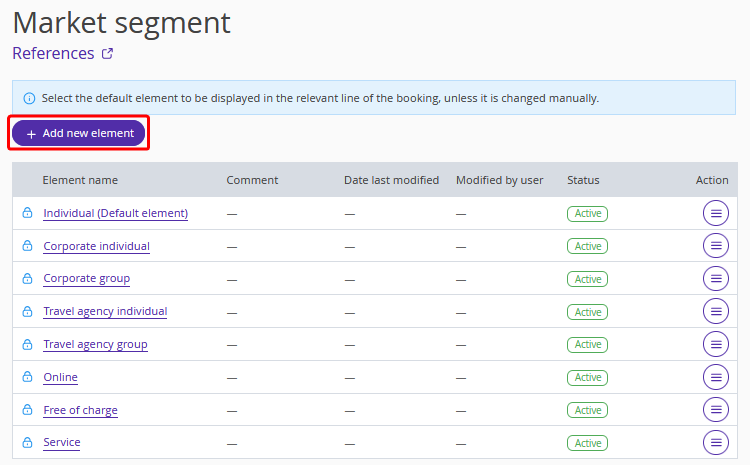
To add a new market segment:
1. Click the “Add new element” button.
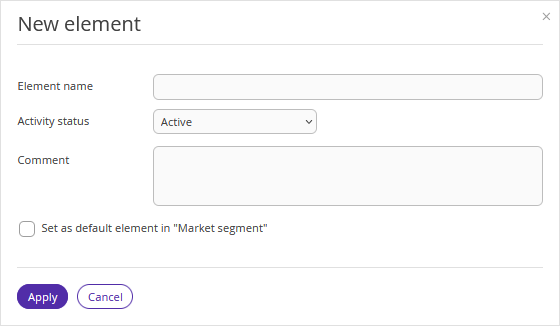
2. Enter the new market segment name. Make sure the “Active” option is selected for the “Activity status” setting to be able to use the new segment right after creation. Enter a comment, if necessary, and click “Apply”.
3. Click the “Save” button at the top of the page.
How to set a default market segment
1. Click the required market segment in the reference.
2. Tick the “Set as default element in “Market segment”” check-box and click “Apply”.
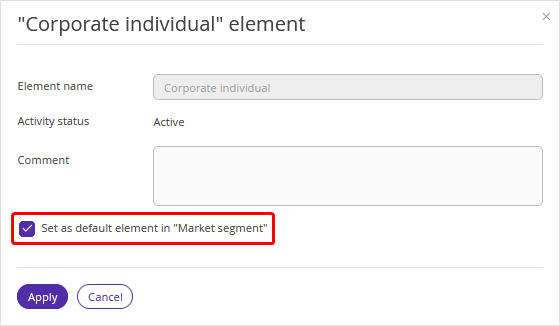
3. Click the “Save” button at the top of the page.