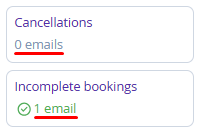
The guest journey is the entire process of interaction between the guest and the property, from booking to departure and possible return.
The "Create automated emails for each step of the guest experience" section outlines a logical sequence for sending the emails presented in the section, from the moment of booking to the guest’s return visit.
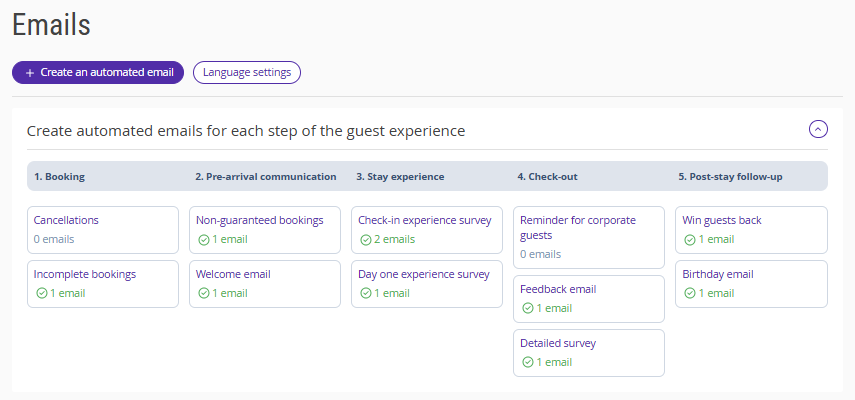
Steps and email types
Based on the guest experience, emails are organized as follows:
1. Booking:
Cancellations.
Incomplete bookings.
2. Pre-arrival communication:
Non-guaranteed bookings.
Welcome-email.
3. Stay experience:
Check-in experience survey.
Day one experience survey.
4. Check-out:
Reminder for corporate guests
Feedback-email.
Detailed survey.
5. Post-stay follow-up:
Win guests back.
Birthday email.
6. Special offers:
Special offers.
Pay attention. The "Special offers" email type is not displayed in the "Create automated emails for each step of the guest experience" section, as it is not regular and does not belong to standard steps of guest interaction with the property.
How to create an email in the "Create automated emails for each step of the guest experience" section
In the Exely extranet, go to "Guest management" > "Guest relations" > "Emails". Click the required email type in the "Create automated emails for each step of the guest experience" section.
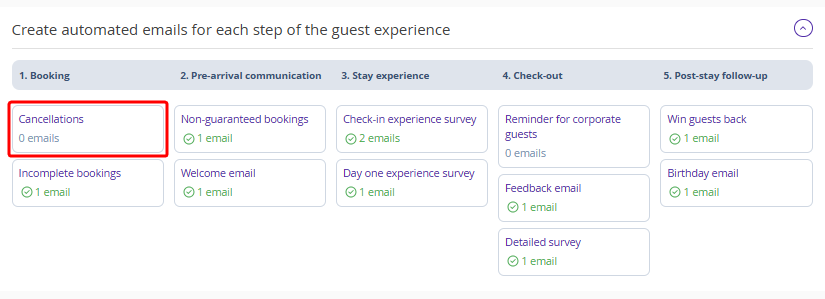
Go to the article dedicated to emails and select the required instruction from the list.
Once the email is created, it will appear in the corresponding section of the “Created emails” table.
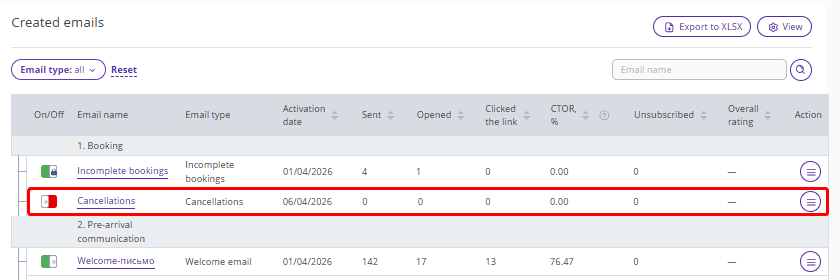
After the created email is activated, the total number of active emails for the property will be displayed in the “Create automated emails for each step of the guest experience” section under the relevant type. Learn more about about how to work with email statistics.