The booking reconciliation tool for bookings created through Exely Booking Engine has been updated. You can now edit bookings without any limitations while the reconciliation period is open.
Note. At the moment, the updated reconciliation is available only for properties in Armenia, Azerbaijan, Georgia, Uzbekistan, and European countries.
Features of the updated reconciliation
You can edit booking details an unlimited number of times while the reconciliation period is open.
Updated booking information is reflected immediately in all related documents, including the reconciliation report, vouchers, and reports.
For bookings made at rate plans for health resorts and Room Mix bookings, you can edit only the check-in and check-out dates and booking cost.
How to reconcile bookings
1. Go to “Accounting” > “Booking reconciliation”.
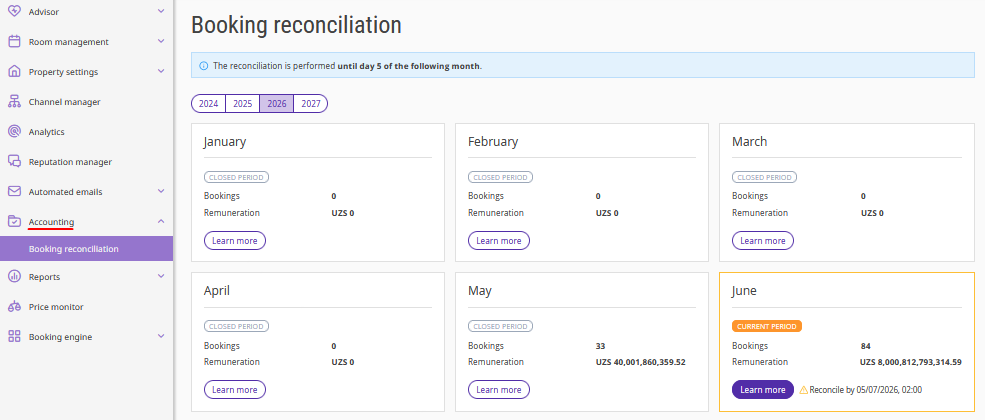
2. Select the reporting period.
Bookings are included in the report based on the check-out date.
3. To edit a booking, click “Action” > "Edit".
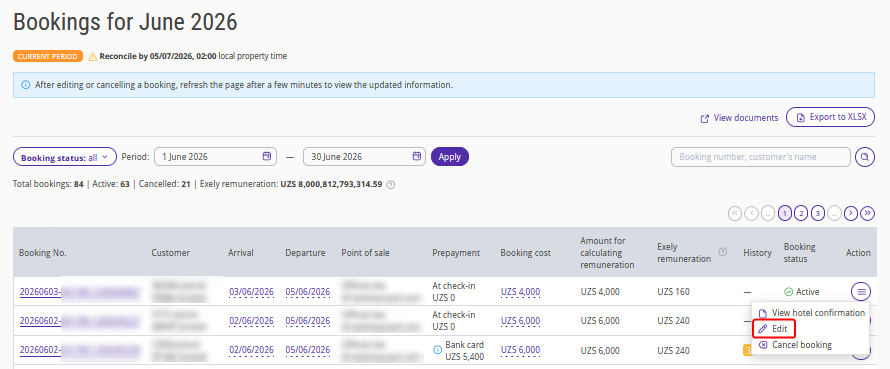
A new tab will be opened with either the editing form in the "Bookings” report or the booking card in Front Desk.
4. Make the required changes, for example, update the dates of stay or booking cost.
Booking editing features:
You can edit not only the booking cost and dates of stay but also other available booking details.
You can make an unlimited number of changes while the reconciliation period is open. According to the standard contract terms, reconciliation can be done till the 4th of the month following the reporting month. You can find the exact reconciliation deadline in the “Accounting” > “Booking reconciliation” section.
5. Save the changes.
The updated information is sent to Exely for accurate commission calculation and report generation.
All related documents, including the booking reconciliation, vouchers, and reports, are updated automatically. All data will be automatically updated in the linked documents: booking reconciliation, vouchers, and reports.
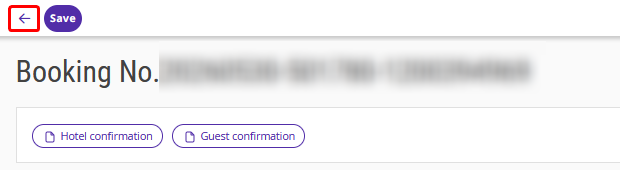
To return to the booking reconciliation list and review the changes, click the "←" button at the top of the page.
Commission calculation for bookings
Commission is calculated for the following bookings:
Completed bookings — the commission is calculated according to the standard rules based on the total cost of accommodation and extra services.
Canceled bookings with a cancellation fee — the commission is calculated based on the cancellation fee if the booking was paid through acquiring or through acquiring combined with loyalty program points. If a canceled booking is restored, commission is recalculated according to the standard rules for completed bookings.
Multi-currency in reconciliation
If the currency of the property's contract with Exely differs from the booking currency:
The booking cost in the reconciliation table is displayed in the booking currency.
The commission amount is displayed in the currency of the contract with Exely.