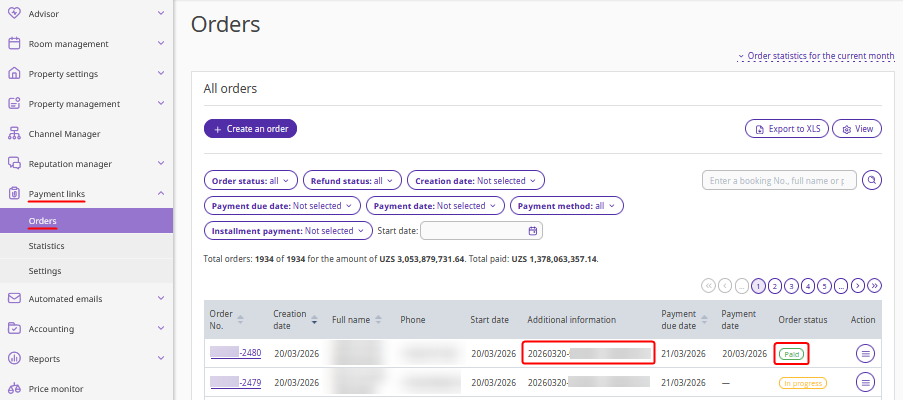
With Exely Payment Links, you can download a QR code for payments at the front desk. A property employee clicks "Charge payment" in the booking, and the guest scans the QR code to pay for their stay. You can customize the QR code to match your brand using any graphic editor.
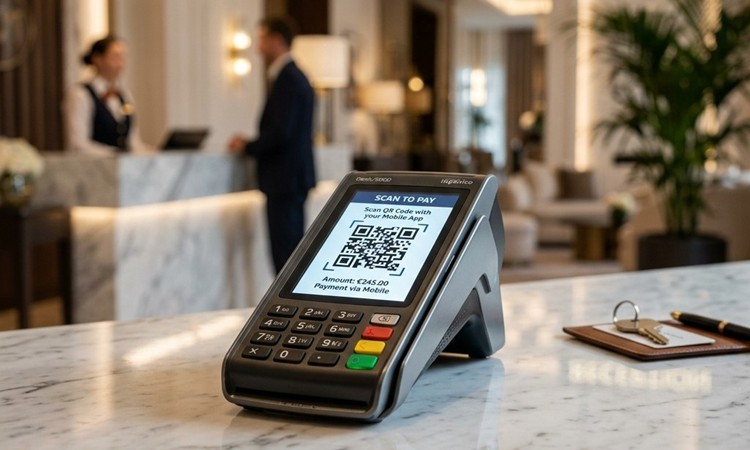
How to accept payments using a QR code
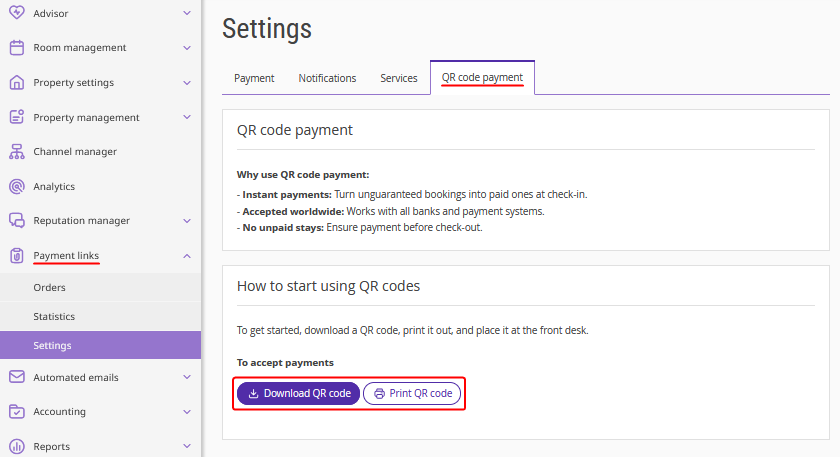
To start accepting payments using a QR code, go to "Payment links" > "Settings" > the "QR code payment" tab. Download or print the QR code, and place it at the front desk.
When checking in guests:
1. Offer the guest the option to pay for the booking by scanning the QR code at the front desk.
2. To request payment, use one of the following methods.
Method 1: Go to "Reports" > "Bookings", find the booking, and click "Charge payment".
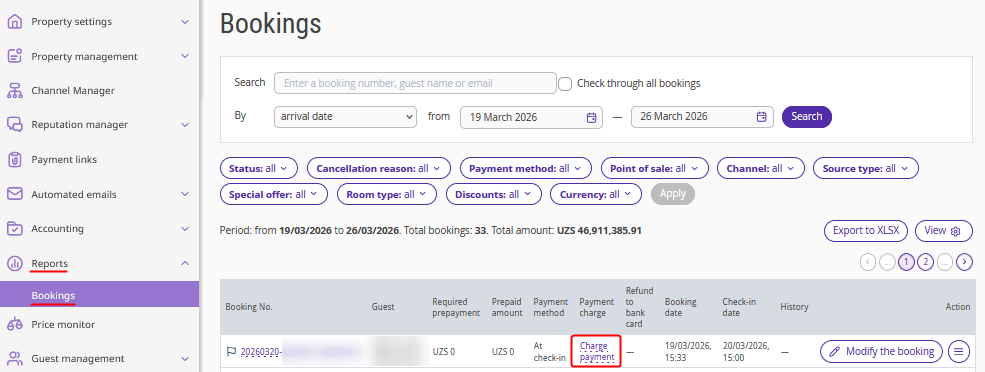
Method 2: If you use Exely PMS, go to "Property management" > "Front Desk", click the booking > "Edit", on the "Details" tab, click "Charge payment".
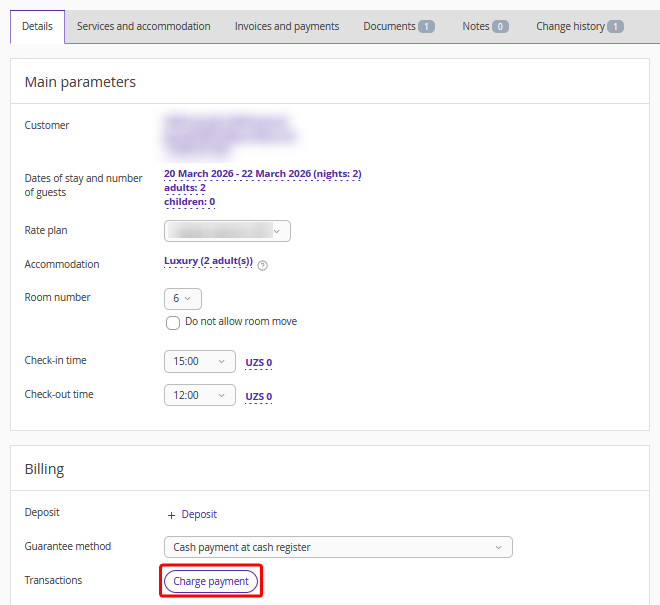
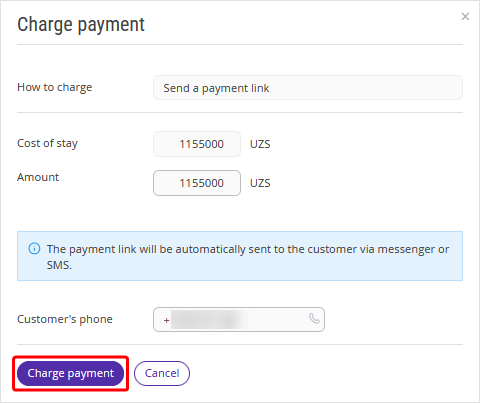
3. The payment window will be opened. Enter the amount for which the payment link should be generated and click "Charge payment".
4. The guest scans the QR code at the front desk and pays for the booking.
Pay attention. When the QR code is scanned, the most recently created order for a booking with the "In progress" status is selected automatically. If such an order already exists, the payment link for that order may be opened. As a result, the guest may open the link and pay for someone else's unpaid order. Therefore, it is important to ask the guest to pay as soon as the link is generated by clicking "Charge payment".
5. The payment will appear in the booking in the “Bookings” report and in Exely PMS Front Desk.The "Payment links" section will also display the order for the booking and its payment status.