It is possible to modify a booking until the check-out date.
To change a room type in a booking made at the property website:
1. In the Exely extranet, go to “Reports” > “Bookings”.
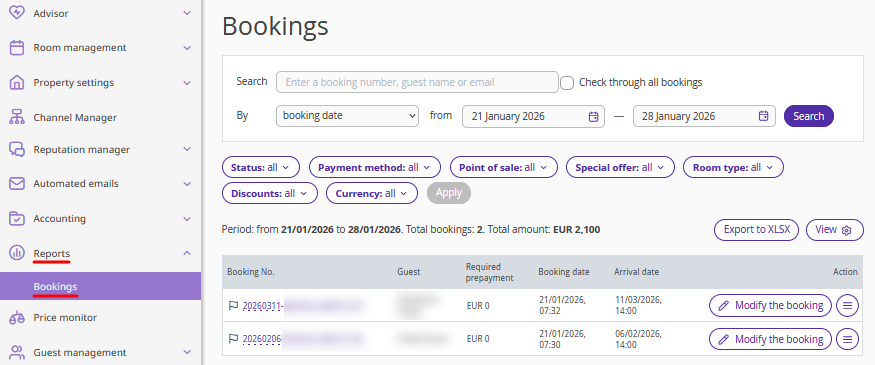
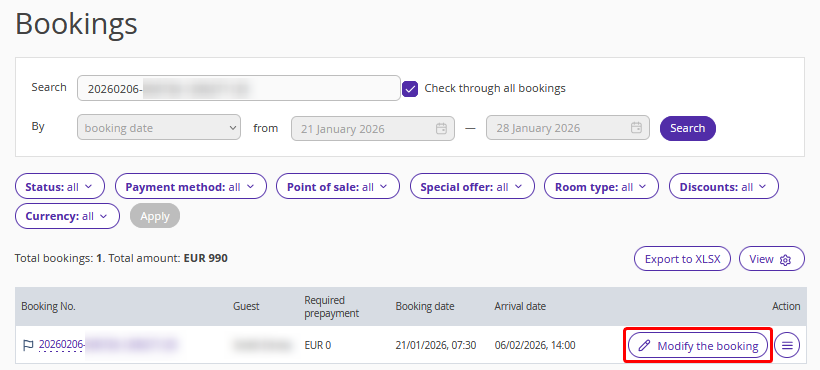
2. Find the required booking using filters, or enter the booking number in the “Search” field and tick the "Check through all bookings" check-box.
3. Click the "Modify the booking" button on the right, or "Action" > "Modify the booking".
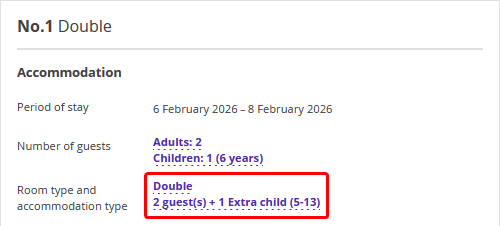
4. On the booking details page, in the "Accommodation" section, click the room type name in the "Room type and accommodation type" field.
5. In the opened “Changing room type and accommodation type” window, select the required parameters:
If you want to change room type only, select the required room type. You will see all the available enabled and disabled room types in the list. The booking cost will be recalculated.
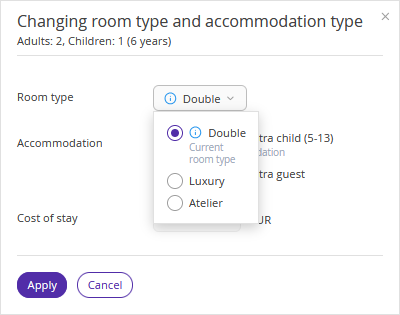
If you want to change the room type and accommodation type, select the required room type and accommodation type. You will see all the available enabled and disabled room types and accommodation types in the list. The booking cost will be recalculated.
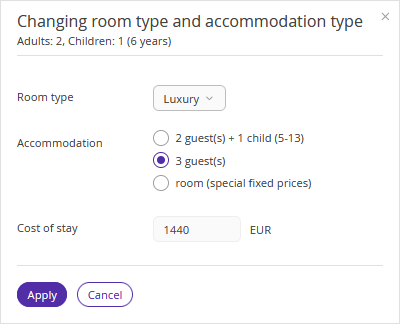
If you want to change the room type and accommodation type without changing a price for the booking, select the required room type and the option “room (special fixed prices)” for accommodation. Price in the booking with the new room type and accommodation type will remain the same.
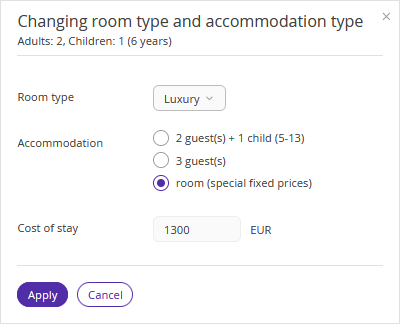
6. Click "Apply".
8. Click "Save" at the top of the page.
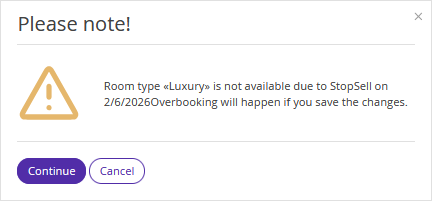
If the new room type is closed for sale in the “Room management” > “Availability” section, you will see a warning. If you want to change the room type despite the restriction, click “Continue”.
To send an updated booking confirmation to a guest, click "Send".
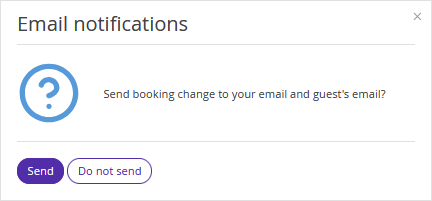
The guest will receive the updated booking confirmation via email. If the payment method of the booking is either "Bank transfer for individuals" or "Bank transfer for legal entities", make sure to send an updated invoice to the guest.
The number of modifications is unlimited. If you need to make changes to a booking again later, the system will allow you to do so.
Guests can also edit their booking themselves if the check-in date has not yet arrived. For details, refer to the article "How a guest can edit a booking made at the property website".
Features of changing room type in a booking
1. When special fixed prices are applied, guests cannot edit the booking. It will not be possible to change the rate plan further.
2. If you set special fixed prices and then change dates of stay for the booking, prices for the same number of nights will remain unchanged. Special fixed prices will be applied to extra nights as well. To return to the standard calculation based on the rate plan prices, select one of the available standard accommodations.
To change other booking parameters, use the relevant instruction:
