This article will help you to change dates of stay in a booking made at the official website.
Pay attention. It is possible to modify a booking until the check-out date.
If you use Exely PMS, use the instructions given in the article "How to change dates of stay in a booking if you work in Exely PMS".
To change dates of stay for a booking made at the property website:
1. In the Exely extranet, go to "Reports" > "Bookings".
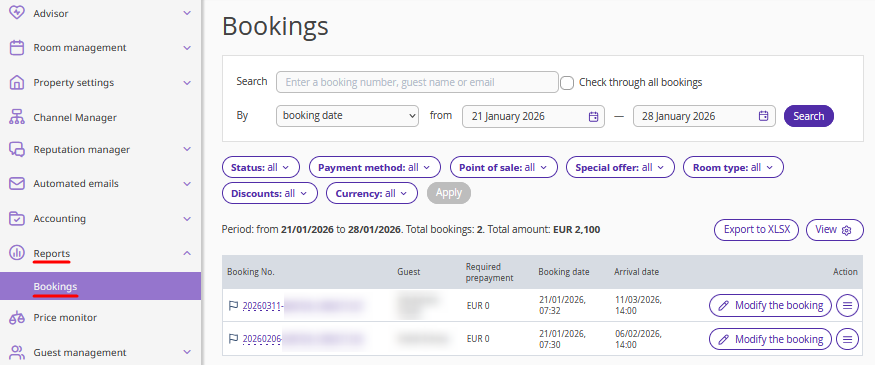
2. Find the required booking using filters, or enter the booking number in the "Search" field and tick the "Check through all bookings" check-box.
3. Click the "Modify the booking" button on the right, or "Action" > "Modify the booking".
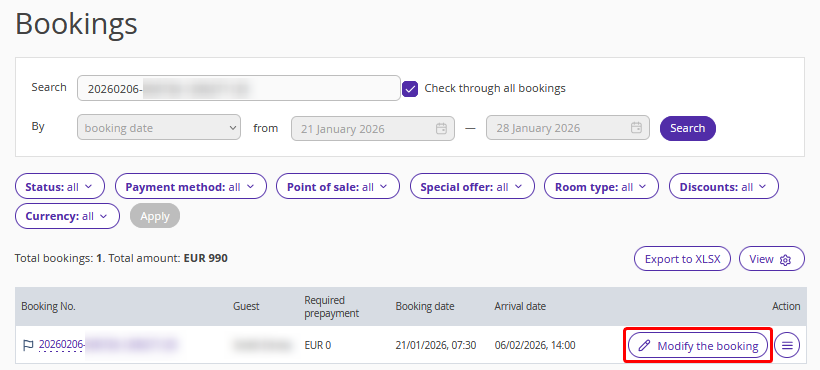
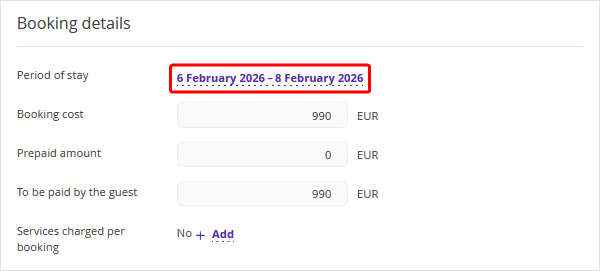
4. On the booking details page, in the "Booking details" section, click the dates in the "Period of stay" field.
5. In the opened "Change dates of stay" window, click the dates and set the new dates of stay.
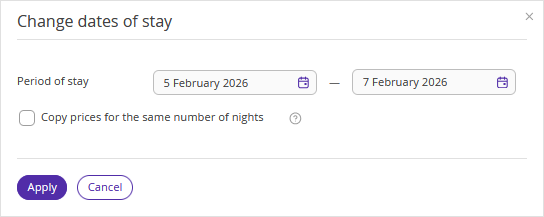
6. If you want to keep the price per night in the booking unchanged — for example, if the price in the rate plan has changed — tick the check-box "Copy prices for the same number of nights". In this case, only the additional nights will be calculated at the new rate plan prices.
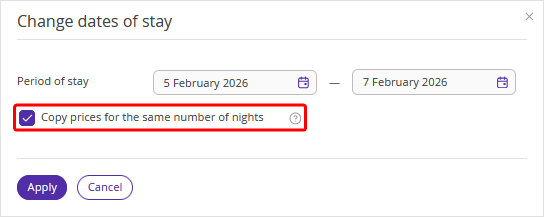
You must also tick this check-box if the prices for the new dates are not specified in the rate plan. If you do not tick this check-box, the changes will not be saved.
In this case, specify the prices in the rate plan or tick the ‘Copy prices for the same number of nights’ check-box to move the booking to the new dates with the prices remaining unchanged.
7. Click "Apply".
8. Click "Save" at the top of the page.
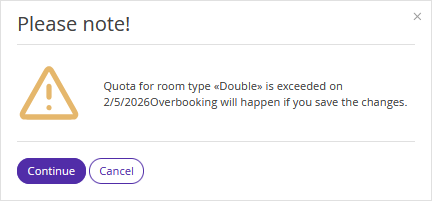
If there are no rooms available for the new dates or there is a restriction for the rate plan, you will see a warning. If you want to change the dates despite the restriction or lack of rooms, click "Continue".
To send an updated booking confirmation to a guest, click "Send".
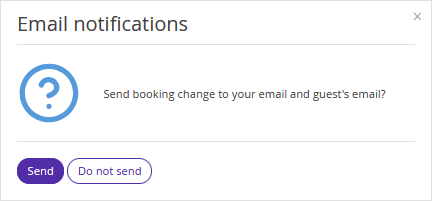
The guest will receive the updated booking confirmation via email. If the payment method of the booking is either "Bank transfer for individuals" or "Bank transfer for legal entities", make sure to send an updated invoice to the guest.
The number of modifications is unlimited. If you need to make changes to a booking again later, the system will allow you to do so.
Guests can also edit their booking themselves if the check-in date has not yet arrived. For details, refer to the article "How a guest can edit a booking made at the property website".
Features of changing dates of stay in a booking
If prices are not set in the rate plan for the new dates, you cannot change the dates of stay. Tick the "Copy prices for the same number of nights" check-box to move the booking to the new dates with the original prices.
In case a booking was made at the "Rate mix" rate plan that is not available for the newly selected dates, changing the stay dates is possible only with a rate change.
If the accommodation type or room type originally selected for the booking has been deleted, you cannot change the dates of stay. Tick the "Copy prices for the same number of nights" check-box to move the booking to the new dates with the original prices.
In case a service originally included in the booking has been removed from the rate plan, deactivated, or deleted from the list of services, the service will be removed from the booking when the dates are modified.
If the prices for a booked service are not set for the newly selected dates, the service will be removed from the booking in case there is no price for it for at least one date of the stay.
To change other booking parameters, use the relevant instruction:
