Automated email types
All automated emails that guests receive are divided into two types — "Marketing emails" and "Service emails".
Marketing emails
This type is used to promote services and increase guest loyalty. Emails include personal greetings and information about special offers.
The following automated emails are included into this type:
- Birthday email.
- Special offers.
- Win guests back.
- Cancellations.
Service emails
Emails that contain booking information, reminders, and surveys.
The following automated emails are included into this type:
- Welcome email,
- Non-guaranteed bookings,
- Incomplete bookings,
- Feedback email,
- Check-in experience survey,
- Day one experience survey,
- Reminder for corporate guests.
Pay attention. When unsubscribing using the "Unsubscribe" link in an email, the guest unsubscribes from the type to which that email belongs.
Example. If a guest unsubscribes from the "Special offers" email, which belongs to the "Marketing emails" type, they will no longer receive emails from this type. However, they will still receive emails of the "Service emails" type.
A guest can also unsubscribe from service emails. After unsubscribing from both types, no emails will be sent to the guest.
How a guest can unsubscribe from automated emails
Sometimes guests do not want to receive certain types of emails or any emails at all. For this purpose, every email sent to the guest contains an "Unsubscribe" link.
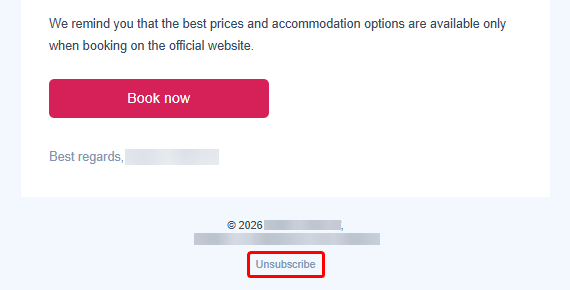
1. Open the email and click the "Unsubscribe" link.
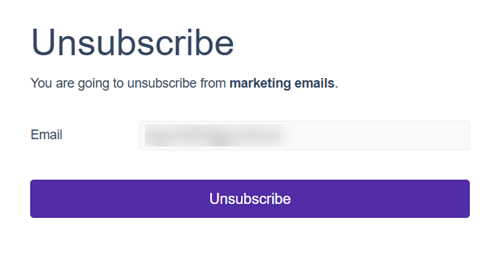
In the opened window, the email address for which the subscription will be canceled will be displayed.
2. Click "Unsubscribe".
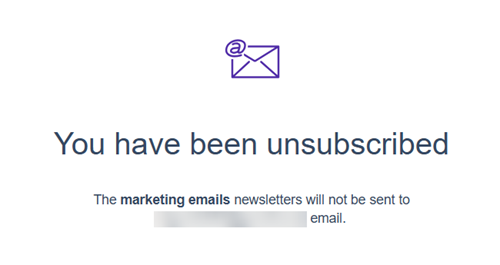
After that, a confirmation message confirming the guest has been unsubscribed will appear.
Pay attention. Only the type of the email from which the guest unsubscribed will be disabled. To unsubscribe from another email type, the guest should click the “Unsubscribe” link in an email of the corresponding type.
