In Exely Guest Relations, automated emails are always created in the property’s account language.
Creating an automated email in another language is available only after saving the email template in the account language.
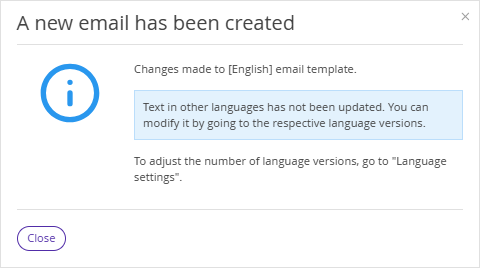
After saving the email template, a pop-up warning will appear:
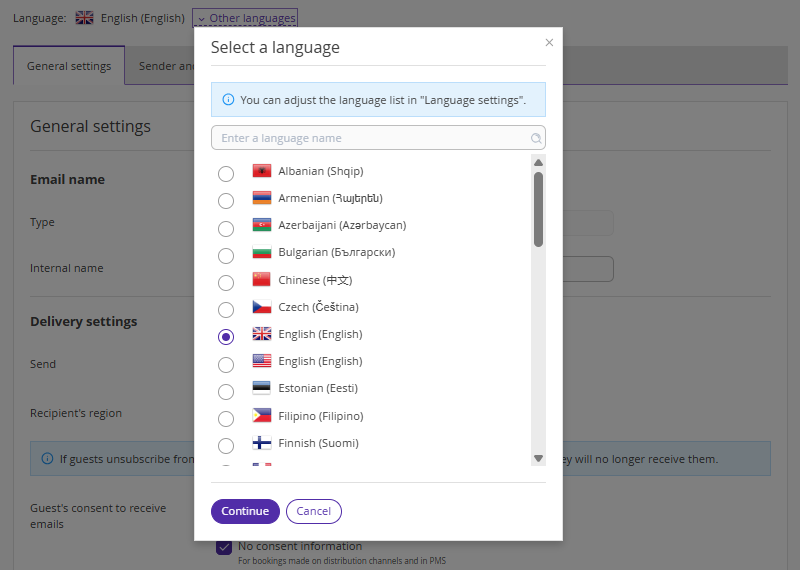
To make changes to the template text in other languages, in the Exely extranet go to "Guest management" > "Guest relations" > "Emails", select the required email. In the "General settings" tab, click "Other languages", choose a language and click “Continue”.
Make the necessary changes to the email text and click "Save" at the top of the page.
Pay attention. Email settings will be applied to all emails of this type for all language versions.
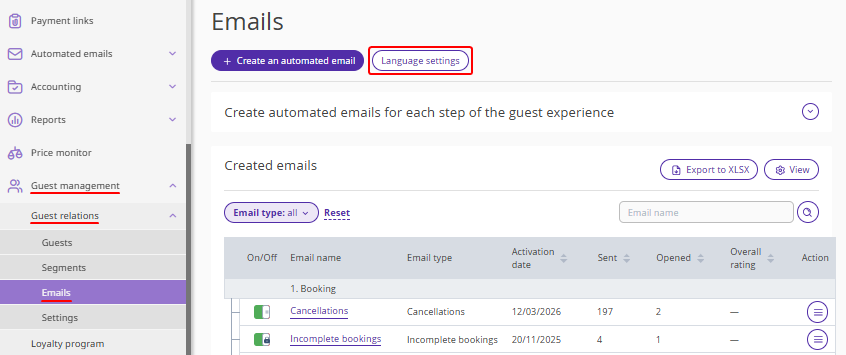
To select and set the languages in which you want to create and send emails to guests, on the "Emails" page click "Language settings".
The selected language settings will apply to all email types.
How to set language versions for automated emails
Automated emails created in the property’s account language are not automatically translated into other languages and contain template text.
To send emails in different languages, in the Exely extranet go to "Guest management" > "Guest relations" > "Emails" and click "Language settings".
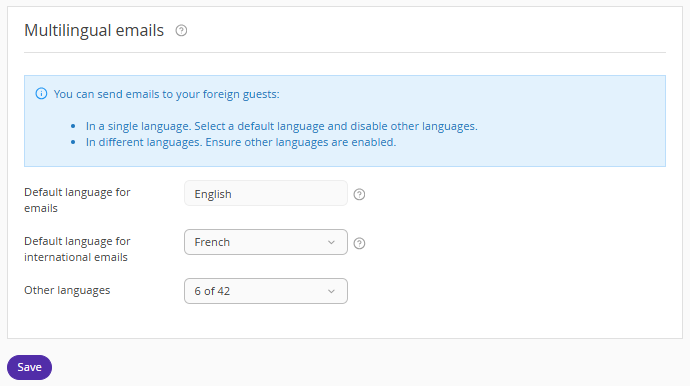
On the settings page, in the "Default language for emails" field, the property’s account language is selected by default. All email templates are created in this language.
The guest language is determined by the language they selected when booking in channels and the booking engine.
In the "Other languages" field, select the languages you plan to use for automated emails from the dropdown list.
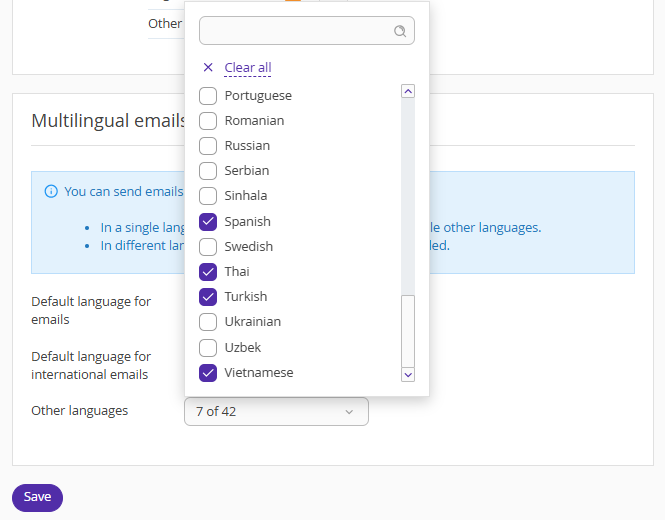
Pay attention. The languages selected in the "Other languages" field will match the list of languages available when creating an automated email.
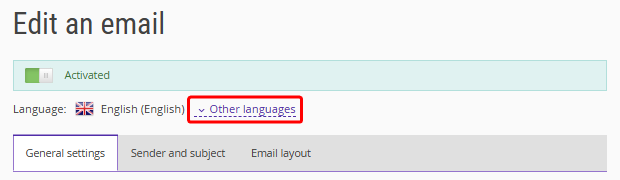
For example, if French is selected, guests who book in this language will receive emails in French.
Guests whose languages are not selected for automated emails will receive emails in the language specified in the "Default language for international emails" field.
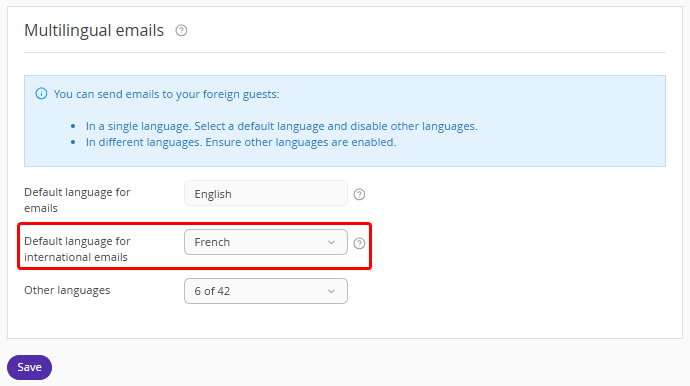
For example, if German is not selected in the "Other languages" field and French is specified in the "Default language for international emails" field, guests who book in German will receive emails in French.
After entering the required data and completing the email, click "Save".
