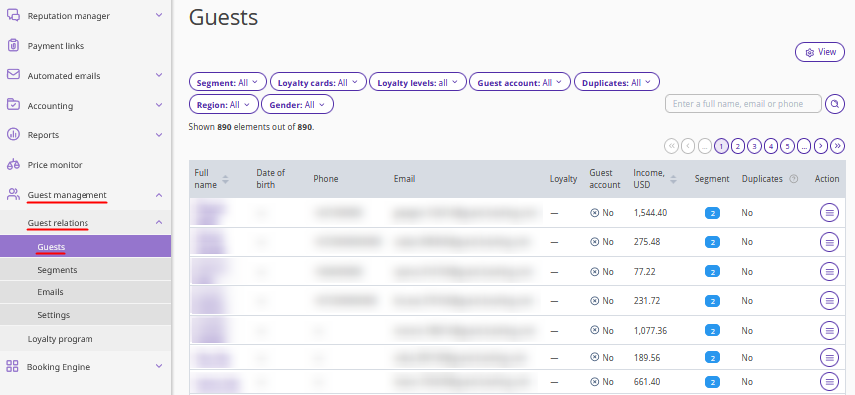
In the Exely extranet, the “Guest management” > “Guest relations” > “Guests” page displays the full list of guests. In Exely Guest Relations, guest profiles are created automatically based on data received from connected sources.
When a guest profile is created
A guest profile appears in the "Guests" section if at least one of the following conditions is met:
The guest booked a stay through Exely Booking Engine.
The guest booked a stay through a channel connected to Exely Channel Manager.
A property employee created a booking for the guest at the front desk in Exely PMS.
A property employee created a booking for the guest at the front desk in Opera or Fidelio with extended data synchronization enabled.
The guest signed up in the guest account in Exely Booking Engine.
A loyalty card was issued to the guest, including when loyalty cards are imported from a file to Exely Loyalty Program.
What data is displayed on the "Guests" page
The guest list contains the following information:
guest’s full name;
date of birth;
phone number;
email;
guest account availability;
income — the amount the property received for all guest bookings;
segment — the number of segments to which the guest belongs;
duplicates — number of matching profiles;
guest’s loyalty level: if the loyalty program is enabled. For details on how to connect a loyalty program, refer to the articles: “Exely Loyalty Program: Discounts” and “Exely Loyalty Program: Points”.
Pay attention. A guest profile is saved in the guest database only if it contains the guest's first and last name and either a phone number or email address.
