The "Promo code" section allows you to create a unique promo code for each guest in an automated email.
This section is used only for email types that include a link to Exely Booking Engine:
Birthday email.
Win guests back.
Cancellations.
Incomplete bookings.
Special offers.
If the "Promo code" section is inactive in the email template settings, there may be two switch states:
The switch is gray (the section cannot be activated)
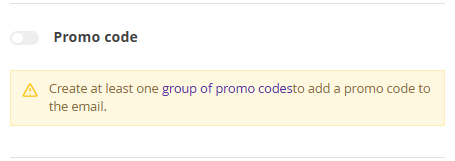
To activate the "Promo code" section and send guests unique promo codes, create a promo code group in the Exely extranet in "Property settings" > "Promo codes". For more details on how to create a promo code, see the article "How to create a promo code".
Pay attention. If you assign a specific promo code group to a rate plan, it must contain at least one promo code.
To assign a promo code group to a rate plan:
1. In the Exely extranet, go to "Room management" > "Rate plans" and select the required rate plan from the list.
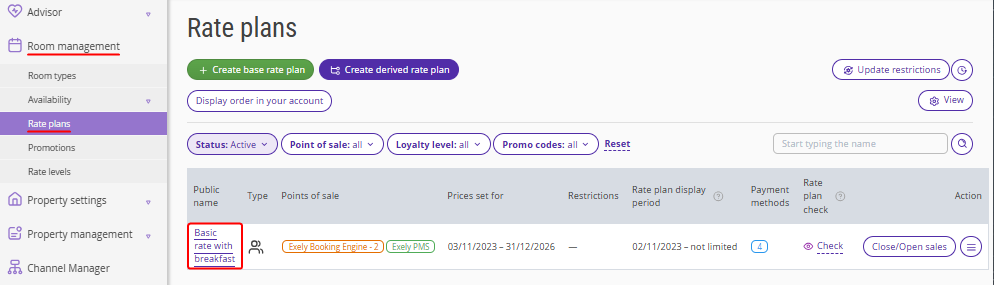
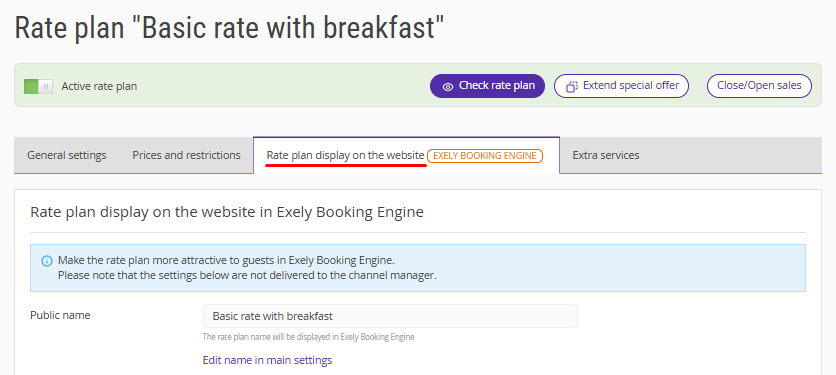
2. Switch to the “Rate plan display in the website” tab.
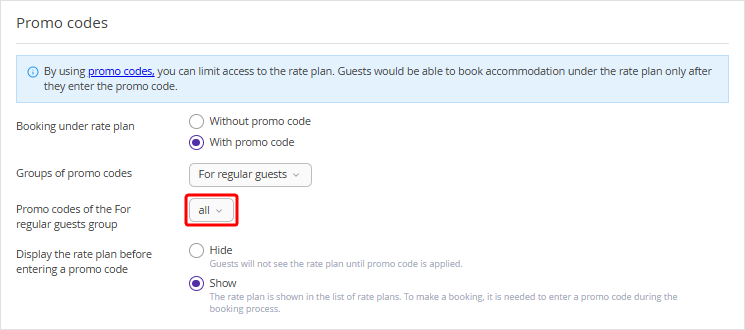
3. When assigning a promo code to the rate plan, select a group of promo codes and choose "all" in the "Promo codes of the … group” field.
The switch is red (the section is inactive but can be activated)
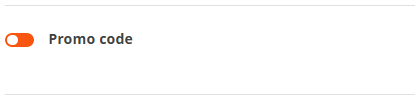
To activate the section, click the switch to change it to the active state and select a promo code group.
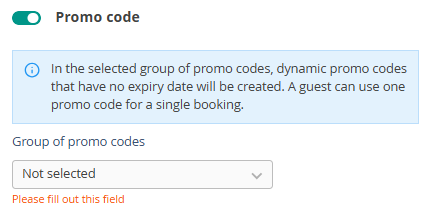
A unique promo code will be generated automatically when the email is sent. The created promo codes will appear in the selected group in the "Promo codes" section.
The promo code has no expiration date; the guest can use it at any time, but only for one booking.
Pay attention. When switching to HTML mode, the promo code section is disabled.
For details on working in HTML mode, refer to the article “How to switch to HTML mode in Exely Guest Relation”.
