The Housekeeping extension allows you to receive up-to-date information about room status every day and clean rooms on time. The extension is available in two versions — basic and full. In this article, we will review the differences between the versions.
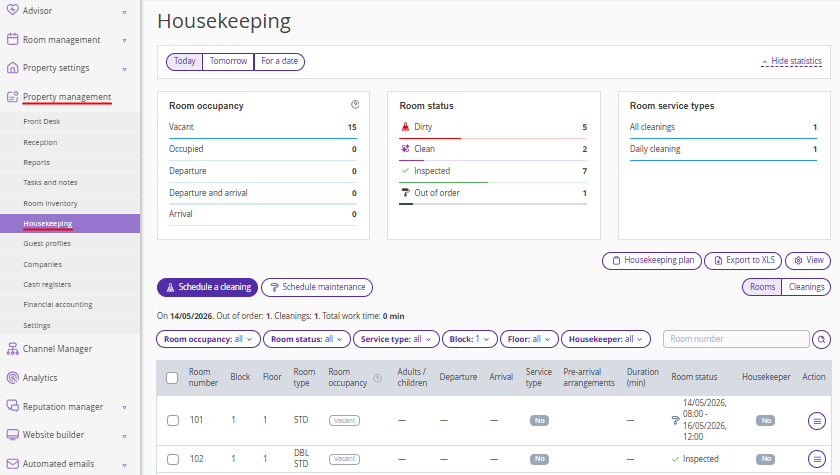
1. Visualization of room statistics
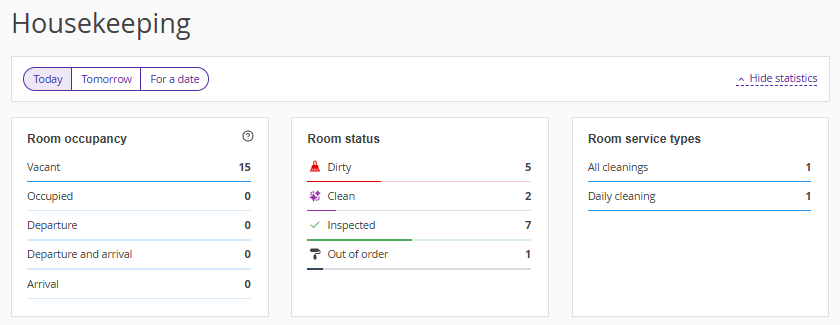
The extension shows statistics on room occupancy and housekeeping. Statistics are available in both the basic and full versions — the difference lies in how the data is shown.
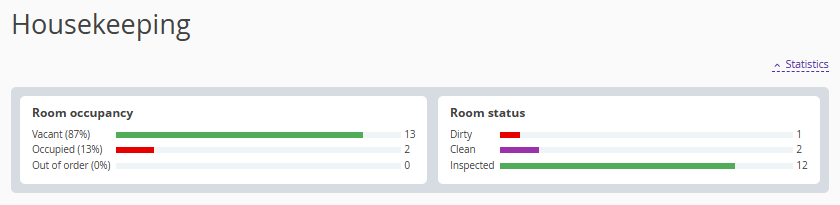
This is how the room occupancy and housekeeping statistics look like in the basic version of the extension:
This is how statistics look like in the full version of the extension:
2. Scheduling cleanings and custom service types
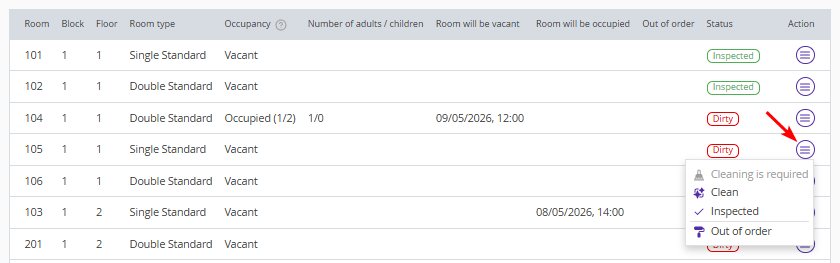
In the basic version of the extension, there are three standard service statuses: "Cleaning is required", "Clean", "Inspected". When a guest checks out, the room is automatically marked as dirty; in all other cases, cleaning statuses must be set manually.
In the full version, three service types are configured by default and assigned automatically, which saves time on manual processing:
"Cleaning upon departure" — it is assigned to rooms in which check-out is planned or actually confirmed;
"Daily cleaning" — daily or according to the specified parameters;
"Cleaning on demand" — assigned manually when needed.
Regular room cleaning tasks are automatically scheduled at midnight property's local time, according to the settings of the “Room service types” reference.
The full version of the extension allows creating your own service type. You can add a custom service type in "Property management" > "Settings" > the "References" tab > the "Room service types" reference.
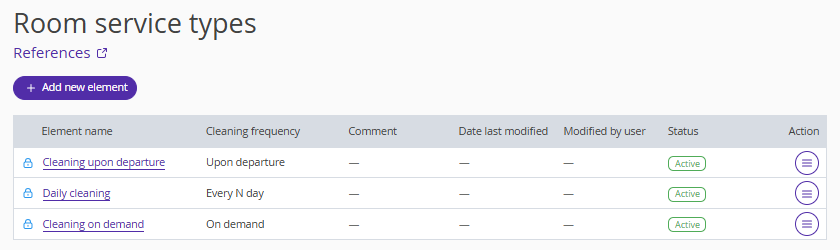
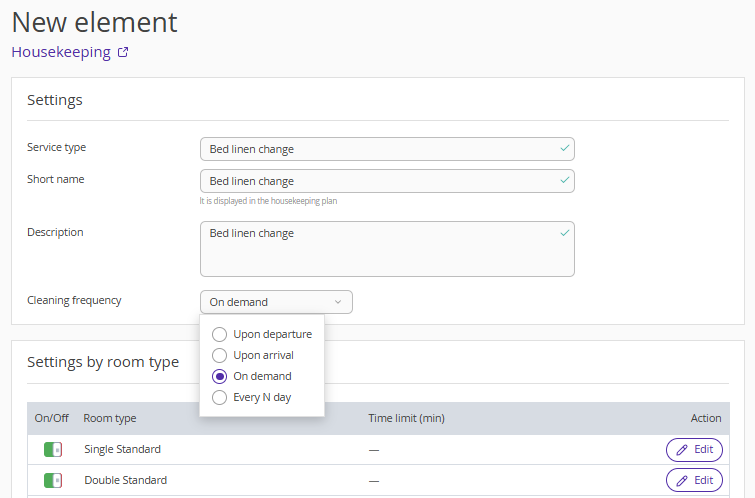
When creating a service type, you can set the schedule: upon departure, upon arrival, on demand, every N days.
For daily cleaning, you can specify the interval — how many days later it should be scheduled. During this period, the cleaning status will be displayed automatically in the Housekeeping extension.
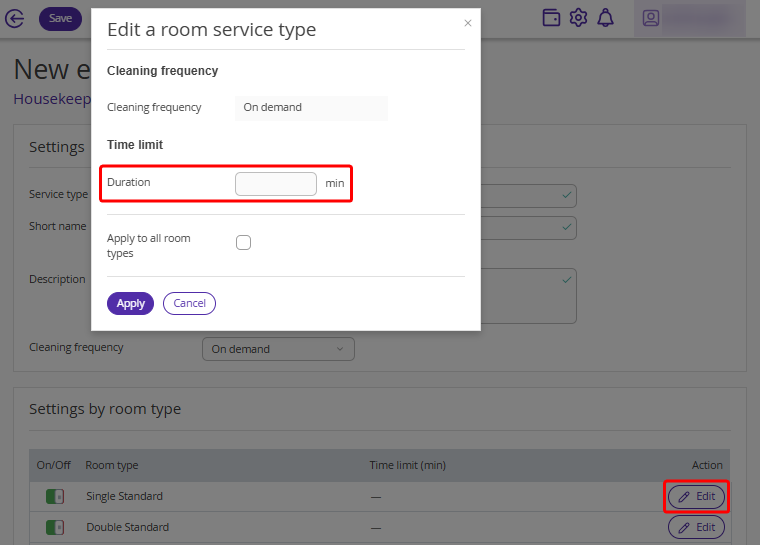
You can specify a cleaning standard: indicate the approximate time required for a specific service type.
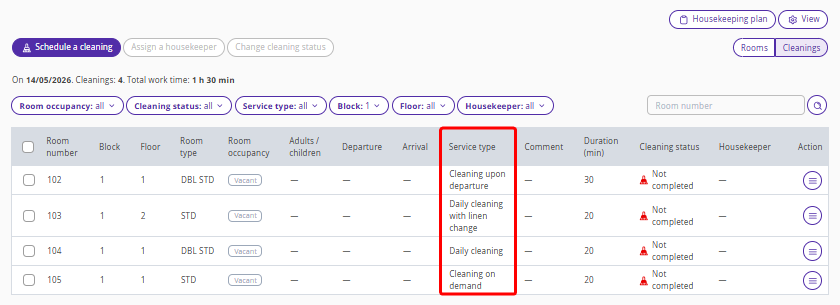
The service type is displayed in the "Service type" column in "Property management" > "Housekeeping" > the "Cleanings" display mode.
To learn how to create a custom service type, see the article “How to add room service types to References”.
3. Assigning a housekeeper
In the full version of the extension, you can assign a housekeeper. To do this, go to "Property management" > "Settings" > the "References" tab. Open the “Staff” reference and create a user with the "Housekeeper" position.
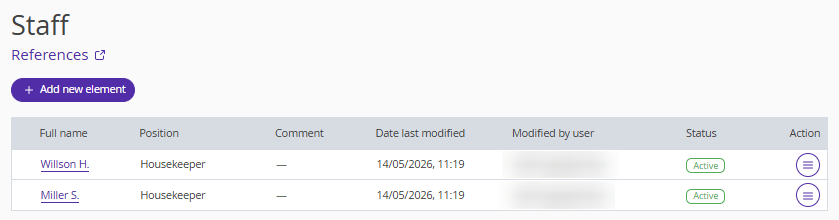
After adding housekeepers to the reference, you will be able to assign a housekeeper.
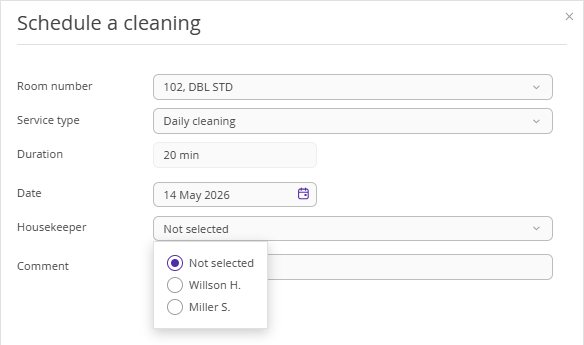
The housekeeper will see the rooms assigned to them in the mobile app and will mark rooms as cleaned. For details on how a housekeeper works with the Housekeeping extension, see the article "Extranet for housekeepers in the full version of Housekeeping extension".
4. Housekeeping extension view
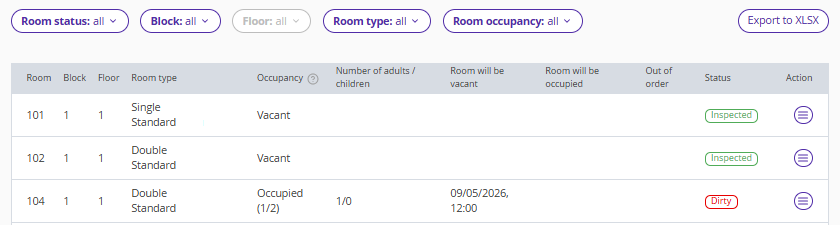
Both the basic and full versions of the extension show room information: room number, room type name, cleaning status, etc.
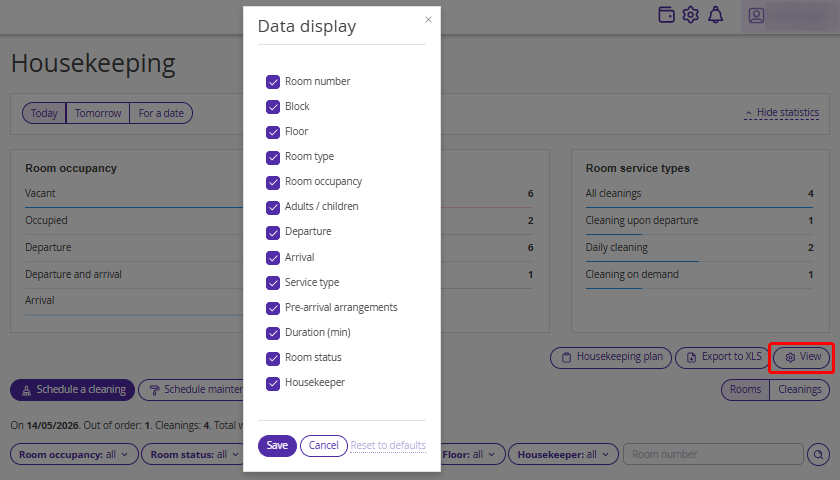
In the full version of the extension, you can customize the view with the required parameters:
5. Bulk actions
In the full version of the extension, you can manage cleaning and maintenance processes for multiple rooms at once. Using bulk operations, you can:
schedule cleanings;
schedule maintenance;
assign housekeepers;
change cleaning status.
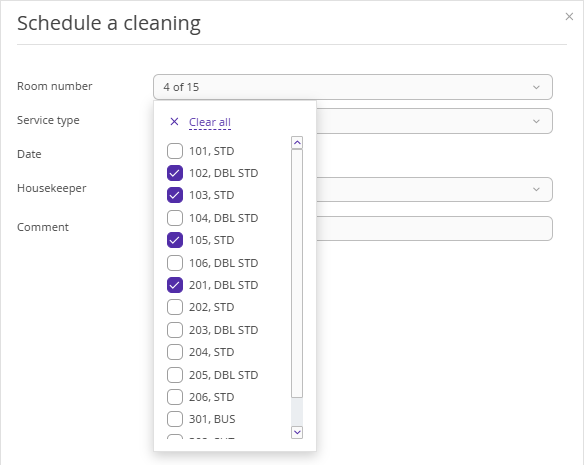
You can learn more about bulk actions in the article “Bulk actions in the Housekeeping extension”.
6. Housekeeping plan
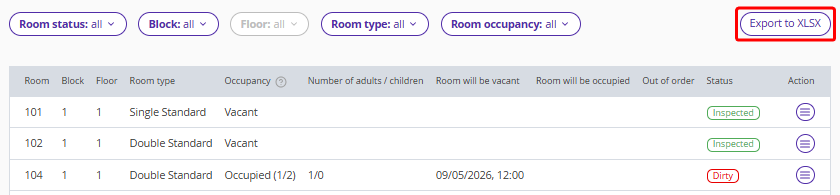
In the basic version of the extension, information is exported in XLSX format and looks like a list of rooms with housekeeping statuses.
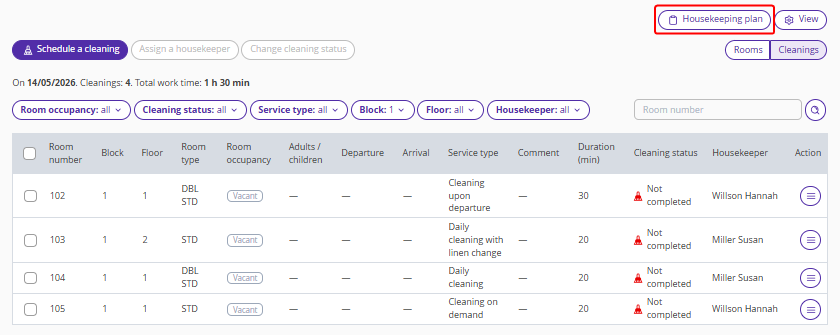
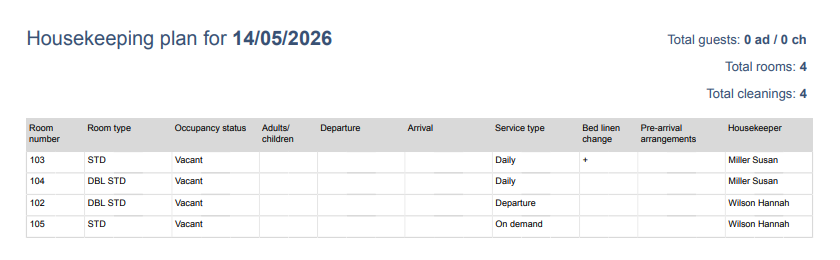
In the full version of the extension, the housekeeping plan shows assigned service types and the housekeepers.
7. The "Housekeeping" report
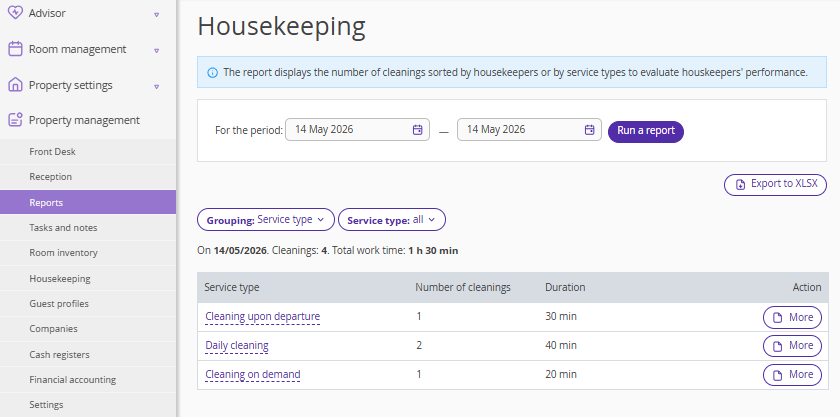
In the full version of the extension, the "Housekeeping" report is added to the list of reports. The report allows you to calculate the number of cleanings by housekeeper or service type for settlements with staff.
8. Mobile app
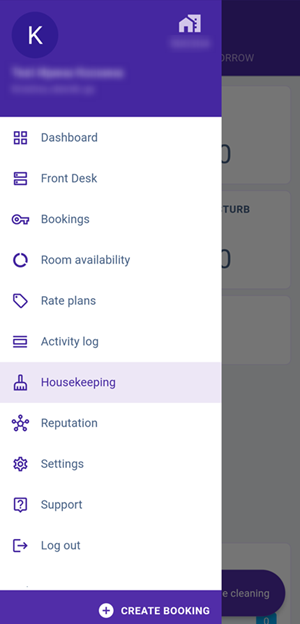
In the Exely Hotelier mobile app, only the full version of the Housekeeping extension is available, where rooms assigned for cleaning are displayed.
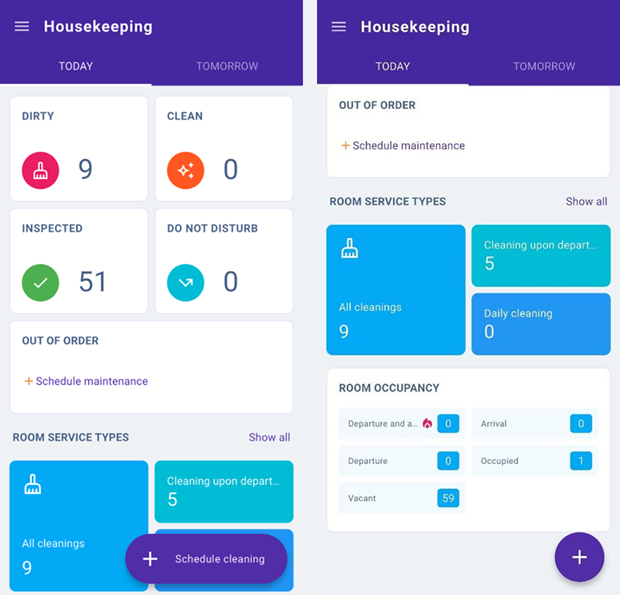
The extension dashboard shows statistics by service type and room occupancy for the current and the next day.
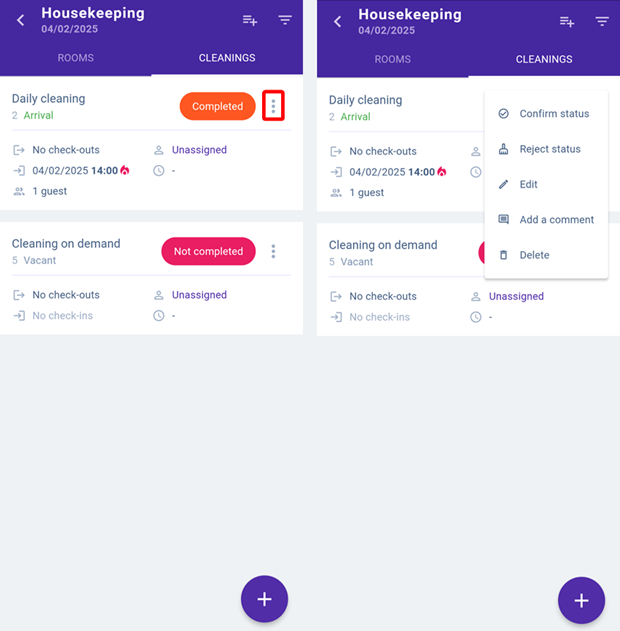
After cleaning, the housekeeper marks completion via the mobile app. This is reflected in both the web version and the mobile app.
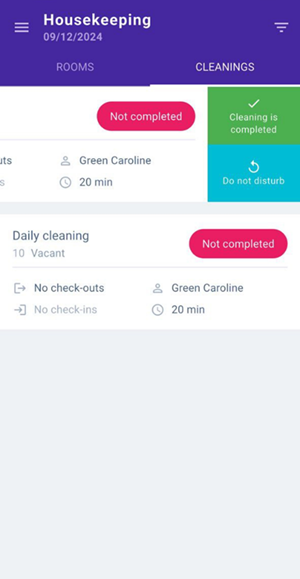
The supervisor then confirms or rejects the status — this can be done in the web version on a computer or in the mobile app.
Comparison of the basic and full versions of the extension
For convenience, all information is summarized in a comparison table:
Options |
Basic version of the extension |
Full version of the extension |
Room occupancy and status dashboard |
yes |
yes |
Reports and export |
“Arrivals” report; export to Excel “Departures” report; export to Excel “Occupied rooms” report; export to Excel |
“Arrivals” report; export to Excel “Departures” report; export to Excel “Occupied rooms” report; export to Excel Housekeeping report; export to Excel |
Housekeeping plan |
“Housekeeping” table (current room status); export to Excel |
“Housekeeping” table (room status and plan for any date) Ready-to-print customizable "Housekeeping plan"; export to PDF, Word |
Mobile app |
no |
yes |
Room status in Front Desk |
Dirty Clean Inspected Out or order |
Dirty Clean Inspected Out or order |
Status update |
Manually |
Automatically Manually |
Room occupancy statuses |
Vacant Occupied |
Vacant Occupied Arrival Departure Departure and arrival |
Cleaning status |
no |
Not completed Completed Do not disturb Inspected Rejected |
Customizable cleaning types |
no |
Daily cleaning Cleaning upon departure Сleaning on demand Custom (for example, cleaning before arrival) |
Scheduling cleanings and bed linen change |
no |
Automatically Manually |
Assigning housekeepers |
no |
yes |
Scheduling maintenance |
yes |
yes |
Access rights and roles |
no |
Manager Administrator Supervisor Housekeeper |
Notes for housekeeping service |
no |
Notes for housekeeping service in a booking details card Tags for housekeeping service in a booking details card Comments for cleanings |
Additional information
We have reviewed the differences between the basic and full versions of the Housekeeping extension. For more details on how to work with the full version, see the following articles:
New room occupancy statuses: “Departure”, “Arrival”, “Departure and arrival”, "Vacant", "Occupied"
Comments for cleaning in the full version of Housekeeping extension
Extranet for housekeepers in the full version of Housekeeping extension
How to schedule maintenance in the full version of Housekeeping extension
To enable the full version of the Housekeeping extension, contact your Customer Support manager or Exely Customer Support team.
